
You are using an out of date browser. It may not display this or other websites correctly.
You should upgrade or use an alternative browser.
You should upgrade or use an alternative browser.
Is it possible to change the colors of the opponent's lifebar?
- Thread starter StrikerX
- Start date
Hi Maxman, Thanks for replay.If it's with script, of course. Could you be a little more specific? How do you want those colors of their lifebars to be changed?
The enemy header have a custom lifebar:
lifebarstatus 222 12 0 1 0 2 5
lifeposition 54 500
nameposition 110 500
iconposition 210 484
nolife 1
Just, change the color to blue
Last edited:

maxman
Well-known member
If the enemy or NPC has a lifebar color that needs to be changed to blue, will the player have the same blue color as those or will the player's lifebar color be different from them? If it's the latter, like I said, it's gotta be in script. Lifebar.txt inside the data folder is what sets all colors of lifebars for all entities.
lifebar.txt:
 dcemulation.org
lifebar.txt:
Code:
blackbox    64 64 64
#blackbox    {R}    {G}    {B}
#        ~Determines the color of the 'shadow' around the lifebar and the bar at 500 health.

whitebox    255 255 255
#whitebox    {R}    {G}    {B}
#        ~Determines the color of the outline around the lifebar and the bar at 600 health and up.

color25         198 0 0
color50         230 99 0
color100        247 214 0
color200        247 247 148
color300        173 195 123
color400        107 130 57
color500        82 97 33
#color{#}    {R}    {G}    {B}
#        ~{#} must be 25, 50, 100, 200, 300, 400, or 500.
#        ~There's no space between "color" and {#} in color{#}.
#        ~{#} is the health value at which the color will be displayed
#        ~color500 is also used as the background of the lifebar, and is displayed with transparency.

colormagic    0  65  231
#colormagic    {R}    {G}    {B}
#        ~Controls the color of the MP bar.

colormagic2    128  128  128
#colormagic2    {R}    {G}    {B}
#        ~When a player's MP bar is longer than their health, the extra MP is overlaid on top of the first bar in this color, like with health.
shadowcolor 128 128 128LIFEBAR.txt
- This text file is optional file for setting lifebar colors. This is for OpenBoR only though.
- Lifebar.txt must be placed right under DATA folder and tt's lifebar.txt, not lifebars.txt.
- {R}, {G} and {B} which are used below are color values from 0 to 255 for Red, Green, and Blue. If you don't know what that means, try thinking of them as brightnesses. If you had 0 255 0, then there would be no red, no blue, and all green, so you'd have green. If you had 0 0 0, there wouldn't be anything, and you'd have black. 255 255 255 would be all of everything, so it'd be white. 255 0 255 would be red + blue = purple. 128 128 128 would be halfway between white and black, so it'd be grey. *If it still doesn't make sense to you, try opening up Microsoft Paint, go to Colors -> Edit Colors -> Define Custom Colors. Try messing around with the Red, Blue, and Green values. It works like that. By the way, setting a color to the transparent color doesn't actually make it transparent.
- The color settings must match one of the colors in the default pallete exactly. If your colors aren't correct, try decreasing every color value by 1- some programs report color values to be higher or lower depending on whether they start at 0 or 1.
- However, if the mod is using truecolor mode (see video.txt below), all colors defined here will be true RGB colors. Which means, you don't need to check if they are available in global palette or not.
blackbox {R} {G} {B}
- Determines the color of the 'shadow' around the lifebar and the bar at 500 health.
whitebox {R} {G} {B}
- Determines the color of the outline around the lifebar and the bar at 600 health and up.
color{#} {R} {G} {B}
- Determines used color by certain health value. For instance, 'color100' determines used color if health is 100 or less.
- There's no space between "color" and {#} in color{#}.
- {#} is the health value at which the color will be displayed and its possible values are 25, 50, 100, 200, 300, 400 and 500.
- color500 is also used as the background of the lifebar, and is displayed with transparency.
- If lifebar is displayed in percentage mode (see 'lbarsize' above for info about it), color reference changes to:
- color25 = 0-20% health
- color50 = 21-40% health
- color100 = 41-60% health
- color200 = 61-80% health
- color300 = 81-100% health
- color400 and color500 aren't used.
colormagic {R} {G} {B}
- Controls the color of the MP bar.
colormagic2 {R} {G} {B}
- When a player's MP bar is longer than their health, the extra MP is overlaid on top of the first bar in this color, like with health.
shadowcolor {R} {G} {B}
- Specify default gfxshadow color.
OpenBORManual - DCEmulation
If the enemy or NPC has a lifebar color that needs to be changed to blue, will the player have the same blue color as those or will the player's lifebar color be different from them? If it's the latter, like I said, it's gotta be in script. Lifebar.txt inside the data folder is what sets all colors of lifebars for all entities.
lifebar.txt:
Code:blackbox 64 64 64 #blackbox {R} {G} {B} # ~Determines the color of the 'shadow' around the lifebar and the bar at 500 health. whitebox 255 255 255 #whitebox {R} {G} {B} # ~Determines the color of the outline around the lifebar and the bar at 600 health and up. color25 198 0 0 color50 230 99 0 color100 247 214 0 color200 247 247 148 color300 173 195 123 color400 107 130 57 color500 82 97 33 #color{#} {R} {G} {B} # ~{#} must be 25, 50, 100, 200, 300, 400, or 500. # ~There's no space between "color" and {#} in color{#}. # ~{#} is the health value at which the color will be displayed # ~color500 is also used as the background of the lifebar, and is displayed with transparency. colormagic 0 65 231 #colormagic {R} {G} {B} # ~Controls the color of the MP bar. colormagic2 128 128 128 #colormagic2 {R} {G} {B} # ~When a player's MP bar is longer than their health, the extra MP is overlaid on top of the first bar in this color, like with health. shadowcolor 128 128 128
hOpenBORManual - DCEmulation
The player's lifebar color must be different.
maxman
Well-known member
That means you can use either ondrawscript or update.c. But I prefer to use ondrawscript because you can make a personalized script for which entity you want to declare. I'm tagging @Bloodbane, @Kratus, and @msmalik681 for their knowledge of doing lifebar positions, lengths, and colors, and maybe they could enlighten how the lifebar color change works. Also, you can take a look at @apescott's Final Fight mod for the lifebar example, even @machok's Final Fight mod called Street Fighter 89. Furthermore, I have an example which is used for enemies which target each specific player. But it's my own take for counting how many players exist in game. That's why I tagged the three here. Here's an example from mine, and notice the
Example:
You don't have to copy this code, but you can use some code reference like this one.
Try setting the Y value of lifeposition with any negative value, so that the lifebar will be hidden from the screen. That way, you can replace the enemy's default lifebar with your script.
I'm not done yet. I'll come back to continue this when I get up or have time.
drawbox and rgbcolor functions, along health variable. Example:
C:
void actual_main(){
    EnemyHP();
}

#import "data/scripts/DEBUG_GRAB.c"

void EnemyHP() //Enemy HP
{
    debugGrab();

    if(getplayerproperty(0, "entity") == NULL() && getplayerproperty(1, "entity") == NULL()){
        void vSelf      = getlocalvar("self");                  //Caller
        int  iETime     = openborvariant("elapsed_time");       //Current time.
        int  iMax       = openborvariant("count_entities");            //Entity count.
        int  iEntity;                                           //Loop counter.
        void vEntity;                                           //Target entity.
        void branch        = openborvariant("current_branch");
        int set            = openborvariant("current_set");
        int level        = openborvariant("current_level");


        int XPos = openborvariant("xpos"); //Get screen edge's position
        int YPos = openborvariant("ypos"); // Get camera position
        int Screen = openborvariant("hResolution"); // Get screen width
        changeentityproperty(vSelf, "animation", openborconstant("ANI_FOLLOW20"));


    }
    else
    {
        void self = getlocalvar("self");
        int HP = getentityproperty(self, "health");
        int MaxHP = getentityproperty(self, "maxhealth");
        int health = 114*HP/MaxHP;
        int P1 = getplayerproperty(0, "entity");
        int P2 = getplayerproperty(1, "entity");
        void name = getentityproperty(self, "name");
        void aniID = getentityproperty(self, "animationid");
        void icon = loadsprite("data/profiles/"+ name +".png");
        int map = getglobalvar("mapEn");
        int palette = openborvariant("current_palette");
        int hres = openborvariant("hresolution");
        void e;
        int PLAY = openborvariant("count_players"); // How many players exist
        int P1Respawn = getentityproperty(P1, "animvalid", openborconstant("ANI_RESPAWN")); // Valid animation for only "player1" model declared from skipselect in models.txt
        int P2Respawn = getentityproperty(P2, "animvalid", openborconstant("ANI_RESPAWN")); // Valid animation for only "player2" model declared from skipselect in models.txt


        int  iETime     = openborvariant("elapsed_time");       //Current time.
        int  iMax       = openborvariant("count_entities");            //Entity count.
        int  iEntity;                                           //Loop counter.
        void vEntity;                                           //Target entity.

        for(iEntity=0; iEntity<iMax; iEntity++)
        {
            vEntity = getentity(iEntity);                                       //Get target entity from current loop.

            if (vEntity && self)                                               //Both Self and Target?
            {
            changeentityproperty(vEntity, "frozen", 0);               //Toggle frozen.
            //changeentityproperty(vEntity, "freezetime", 15000);    //Toggle frozen time.
            }
        }


        if(getentityvar(self,0)==NULL()){
            setentityvar(self,0, health);
        }

        if(findtarget(P1) != NULL() && PLAY == 1){
            drawbox(176,6,health,2,1800,rgbcolor(255,234,41),0);
            drawbox(176,8,health,1,1800,rgbcolor(255,226,0),0);
            drawbox(176,9,health,1,1800,rgbcolor(255,206,24),0);
            drawbox(176,10,health,1,1800,rgbcolor(246,194,0),0);
            drawbox(176,11,health,1,1800,rgbcolor(230,141,0),0);
            drawbox(176,12,health,1,1800,rgbcolor(222,92,0),0);
            drawbox(176,6,getentityvar(self,0),7,1700,rgbcolor(181,26,0),0);
            settextobj(11, hres-27-strwidth(name, 0), 55, 0, -1700, name); // settextobj(index, x, y, font, z, text);
            changeentityproperty(self, "iconposition", 262, 21);


        }if(findtarget(P2) != NULL() && PLAY == 1){
            drawbox((150-health),6,health,2,1800,rgbcolor(255,234,41),0);
            drawbox((150-health),8,health,1,1800,rgbcolor(255,226,0),0);
            drawbox((150-health),9,health,1,1800,rgbcolor(255,206,24),0);
            drawbox((150-health),10,health,1,1800,rgbcolor(246,194,0),0);
            drawbox((150-health),11,health,1,1800,rgbcolor(230,141,0),0);
            drawbox((150-health),12,health,1,1800,rgbcolor(222,92,0),0);
            drawbox((150-getentityvar(self,0)),6,getentityvar(self,0),7,1700,rgbcolor(181,26,0),-1);
            settextobj(12, 33, 55, 1, -1700, name);
            changeentityproperty(self, "iconposition", -56, 21);
        }

        if(PLAY == 2){ // Check if 2 Players are available in battle
            if(P2Respawn){ // Player 2 side appears as a "new challenger"
                drawstring(hres-27-strwidth(name, 0), 55, 0, name); // Enemy/self's name text aligned right
            }
            if(P1Respawn){ // Player 1 side appears as a "new challenger"
                drawstring(33, 55, 1, name); // Enemy/self's name text aligned left
            }

        }

        if(health<getentityvar(self,0)){
            if(getentityvar(self,1)==NULL()){
                setentityvar(self,1,0);
            }
            setentityvar(self,1,getentityvar(self,1)+1);
            if(getentityvar(self,1) > 10){
                setentityvar(self,0,getentityvar(self,0)-1);
                setentityvar(self,1,0);
            }
        }
    }
}
You don't have to copy this code, but you can use some code reference like this one.
A MP bar in two phases
I'd like to create a MP bar system in two phases. In the first one, the background bar is black and the growing bar is blue (from 0 MP to 100 MP). Once the growing bar reaches 100MP and the end of the bar size in the same time, then the blue bar disappears and the background bar gets dark blue...
www.chronocrash.com
Try setting the Y value of lifeposition with any negative value, so that the lifebar will be hidden from the screen. That way, you can replace the enemy's default lifebar with your script.
I'm not done yet. I'll come back to continue this when I get up or have time.

Hi @StrikerX , in case you want a fully customizable life bar I suggest you follow the tips posted by @maxman. Indeed the default engine life bar color works automatically according to the health amount and can't be defined individually.Is it possible to change the colors of the npc/opponent's lifebar?
However, as an alternative you can use the "overlay" technique, which consists of adding transparent images in front of the life bars in order to change its colors.
You can use the drawbox script function for this purpose, drawing a box with the exact size as the life bar and enabling its alpha mode.
C:
drawbox(xPosition, yPosition, xSize, ySize, zLayer, rgbcolor(red,green,blue), alphaMode);As an alternative you can use the drawsprite script function to put images as textures in front of the life bar, similar to the drawbox function.
C:
if(getglobalvar("lifebar_texture") == NULL())
{
    setglobalvar("lifebar_texture", loadsprite("data/sprites/lifebar_texture.png"));
}
drawsprite(getglobalvar("lifebar_texture"), xPosition, yPosition, zLayer);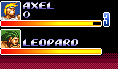

pudu
Well-known member
Hello, this is the re-edited life of my KunioLA and the player and enemy colors are different, which meets your requirements
ondrawscript data/scripts/xxx.c
C++:
void main()
{
          drawHp();
}

void drawHp()
{
    void self        = getlocalvar("self");
    int dead    = getentityproperty(self,"dead");
    void type    = getentityproperty(self, "type");
    void target     = getentityproperty(self, "opponent");
    void iType      = getentityproperty(target, "type");
    int noLife      = getentityproperty(target, "nolife");
    int p             = getentityproperty(self, "playerindex");
    int layer        = 60000;
    int xPos    = 38;
    int yPos    = 12;
    int yPos2    = 223;
    int xSize    = 100;
    int xSize1    = 100.49;
    int xDif    = 160;
    int xAdd    = xDif*p;
    int maxHp    = getentityproperty(self, "maxhealth");
    int hp        = getentityproperty(self,"health");
    if(hp > maxHp){
        hp    = maxHp;
    }
    hp        = (hp*xSize1)/(maxHp);
    if(hp > xSize){
        hp    = xSize;
    }

    if(openborvariant("in_level") && type == openborconstant("TYPE_PLAYER")){
        if(dead != 1 ){
            drawbox(xPos+xAdd, yPos, hp, 4, layer, rgbcolor(255,255,255));//PLAYER
        }
        if(iType == openborconstant("TYPE_ENEMY")){
            if(noLife != 1){
                int imaxHp    = getentityproperty(target, "maxhealth");
                int ihp        = getentityproperty(target,"health");
                ihp        = (ihp*xSize1)/(imaxHp);
                if(ihp > xSize){
                    ihp    = xSize;
                }
                drawbox(xPos+xAdd-17, yPos2, ihp, 4, layer, rgbcolor(0,255,255)); //ENEMY
            }
        }
    }
}
Last edited:
Awesome @pudu!
Many thanks to all of you who shared your knowledge with me, I did it. Everything works fine! I just couldn't insert the textured bar mode that @Kratus, proposed (the texture could not follow the bar progress), but everything is ok. If Kratus could insert the texture system in this script, would be awesome.
custbar.c
entity.txt
Many thanks to all of you who shared your knowledge with me, I did it. Everything works fine! I just couldn't insert the textured bar mode that @Kratus, proposed (the texture could not follow the bar progress), but everything is ok. If Kratus could insert the texture system in this script, would be awesome.
custbar.c
Code:
void main()
{
          drawHp();
}

void drawHp()
{
    void self        = getlocalvar("self");
    int dead    = getentityproperty(self,"dead");
    void type    = getentityproperty(self, "type");
    //void target     = getentityproperty(self, "opponent");
    //void iType      = getentityproperty(target, "type");
    //int noLife      = getentityproperty(target, "nolife");
    //int p             = getentityproperty(self, "playerindex");
    int layer        = 60000;
    int xPos    = 54;
    int yPos    = 500;
    //int yPos2    = 54;
    int xSize    = 500;
    int xSize1    = 222;
    int xDif    = 160;
    //int xAdd    = xDif*p;
    int maxHp    = getentityproperty(self, "maxhealth");
    int hp        = getentityproperty(self,"health");

  if(hp > maxHp){hp = maxHp;}

    hp  = (hp*xSize1)/(maxHp);
    if(hp > xSize){ hp = xSize;}

    if(openborvariant("in_level") && type == openborconstant("TYPE_PANEL"))
{if(dead != 1 ){drawbox(xPos, yPos, hp, 12, layer, rgbcolor(0,155,155));}


    }
}
entity.txt
Code:
name           panelfakebar
type            panel
#type            npc
scroll            1
health            570
speed            20
nomove            1 1
facing            1
noquake            1
shadow            0
falldie            1
antigrab        10
offscreenkill             30000
subject_to_wall        0
subject_to_platform     0
subject_to_obstacle     0
subject_to_hole     0
subject_to_gravity     0
diesound        data/sounds/empty.wav
#setlayer    999999998

#icon data/chars/misc/icon.gif

#lifebarstatus 222 12 0 1 0 2 5
#lifeposition 54  500
#nameposition 110 500
#iconposition 210 484
nolife 1
alpha 1
ondrawscript data/scripts/custbar.c

palette none

anim    idle
    loop    1
    delay    5
    offset    300 12
frame ...Once you are using a totally custom lifebar you don't need to draw another transparent bar as texture to change its colors, just edit the rgb values directly and everything will be fine. The @pudu script fits perfectly for its purpose.I just couldn't insert the textured bar mode that @Kratus, proposed
In case you are referring to the texture using images, it requires some additional tricks. For example, in SORX I use alpha mode 2 to draw a transparent texture because this way it will only be shown when there's a yellow life bar behind, but will totally disappear when there's a black backfill bar, which represents no life. This trick passes the illusion that the texture is changing its size, but in fact it's not.
As an option you can truly reduce the texture size by using drawmethod scale, but I suggest to first try the previous method because it's simpler.
Last edited: