pudu
Well-known member
In order to adapt to personal habits on Android.
The following are instructions:
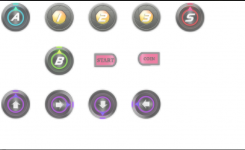
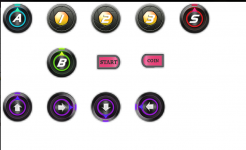
1. Put the button skin in the OpenBOR folder in the root directory of the memory card.
2. Put touch.txt in the OpenBOR / Saves folder in the root directory of the memory card.
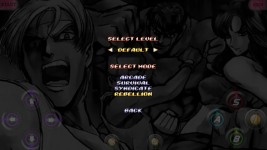
3. Refer to another picture to explore the key position changes.
touch.txt values represent:
button moveleft 0.12 0.24 0.07 3
The first value is the percentage X of the edge of the screen, the second value is the percentage Y of the edge of the screen, the third value is the size of the button, and the fourth value is the size of the button (0 -3 represents the 4 edges of the screen, which are the upper and Down, left, right).
Transparency is determined by the image, adjusted according to light.
The key image is 6 * 4, beyond the size, it is invalid.
Download link: https://drive.google.com/open?id=1fZOboEIlRCsGT4j_Qs6DzEsBgq08LVG9
The following are instructions:
1. Put the button skin in the OpenBOR folder in the root directory of the memory card.
2. Put touch.txt in the OpenBOR / Saves folder in the root directory of the memory card.
3. Refer to another picture to explore the key position changes.
touch.txt values represent:
button moveleft 0.12 0.24 0.07 3
The first value is the percentage X of the edge of the screen, the second value is the percentage Y of the edge of the screen, the third value is the size of the button, and the fourth value is the size of the button (0 -3 represents the 4 edges of the screen, which are the upper and Down, left, right).
Transparency is determined by the image, adjusted according to light.
The key image is 6 * 4, beyond the size, it is invalid.
Download link: https://drive.google.com/open?id=1fZOboEIlRCsGT4j_Qs6DzEsBgq08LVG9