Piccolo
Well-known member
So I looked into this and actually CMT should already use Z property if set (what you call option B). It uses the order in which layers are declared (what you call option A) only to differentiate layers with the same Z value.Hey Piccolo, I saw a point on CMT that I wanna share with you
How the tool display the layers? on the order you put it on the .txt or it uses a logic to tell which comes first, like "background goes back, then panel, then fglayer or front layer".
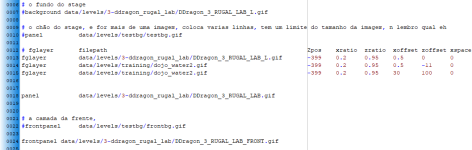
Looks like to be the second case, as my fglayers are located behind the panel and come first on the stage:
View attachment 5520
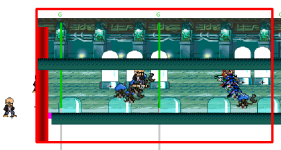
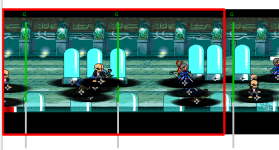
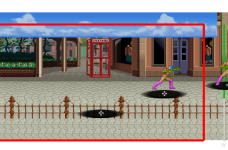
But this is how the tool display the stage:
View attachment 5521
Dunno if you are aware, but fglayer can, in fact, be placed anywhere you want to (well, exclusing behind the background), because you have fine control about the Z placement (this is what differs bglayer from fglayer).
If you look at the first image, you will see that my fglayers are placed at -400/-401/-403 which makes them to appear behind the panel.
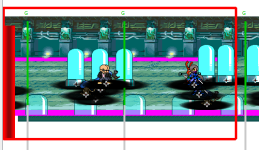
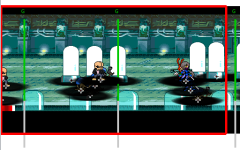
But the tool renders them in front of it, where it should be displaced like this:
View attachment 5522
So I would like to check if its possible the tool to do one of the following:
A) The tool could use the order we put the layers on the stage file to display them (and that is imporant when you use script to control the layers)
B) or, the tool could use the Z value (if present) to display the layer order
Honestly, the option A would make more sense.
Is this possible?
Another question: it is possible to have an option to not break line of the codes?
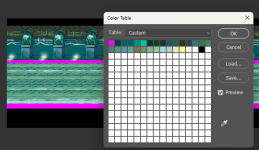
This is the same stage on Stats:
View attachment 5523
If it doesn't work like that for a stage then I would need the files to investigate