@
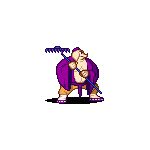
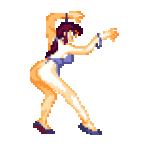
Weoooo thanks for mentioning this! After I posted I was looking at all the West Adventure stuff I had already ripped, somehow I got motivated to finally finish ripping the rest of the sprites. The past weeks I've nearly completed all the enemy sprites and the last of the player sprites I was missing. I think I'm just missing a few frames for one or two enemies and then it's finished.
Meanwhile I started working a bit on this old Journey to the West mod I started years ago... I was flooded with memories of working on this and ripping this stuff so long ago. It is one of my oldest memories now of openbor and mugen. I had started ripping monkey to make a mugen char, back when it was still a DOS program!
Then I ended up discovering Beats Of Rage and eventually OpenBOR project got started and I was working on different projects and just forgot about poor monkey and pigsy.
I've really been enjoying just casually working on this again. I don't have much time these days and I have been away from openbor for so long, I kind of struggle to get much done. This mod is fairly straight forward and I've been finding it very relaxing and chill to just work on this a bit after work.
Thanks for triggering the nostalgia and somehow motivating me to do stuff.


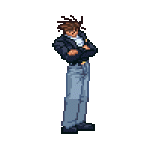
@
Die_In_Fire
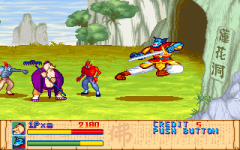
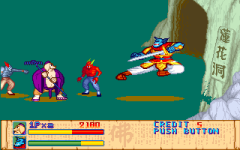
I just wanted to show you these sprites would not be that hard to rip using DOSBOX to video capture and screenshot. I spent WAY longer to post this than ripping the sprites for this animation.
I just use DOSBOX to record .avi - I record short length .avi so I can just open it AnimationShop3 and dump the frames i want ( anim shop has old fashioned memory limits so it won't handle very long .avi ). I find this the fastest way, I can quickly scroll through frames and save what i need to .png with so messing about. You can record long play through and dump every frame to png using any other program, but I would recommend this way and focusing on one animation at a time.
Really anything that can capture video without messing with the pixels that you can easily and quickly convert into images is fine, but the dosbox capture works great and is built in.
- I open the screenshot/frame in photoshop.
- I copy the image to new layer and I have the background layer as the solid background color I use.
- To remove the unwanted parts I use 'Select Color Range' to select an unwanted color and then I hit DELETE, I repeat this process until they are all gone.
- Create an easy shortcut for 'Select Color Range' to work faster.
- While I delete the background in photoshop I'm recording a macro so I can automate all the other ones.
- Repeat this process, try to focus one stage area in the game at a time so you're not making new macros all the time. (if possible choose areas it's easy to remove the floor and it will go very fast)
- For stages it's just cutting up sections and piecing it together, even if you have to take 1 pixel wide slivers to get around HUD etc.
- I can't recall but I might have had to change a setting in dosbox so it doesn't capture video with any filtering
- Check if there's any cheats for the game to access stages or give unlimited life etc.
Something else to look into...
GameWizard 32 Pro 3.0a
game wizard is an awesome memory editing tool for DOS that will let you create your own cheats and savestates. It's useful for this type of thing, this game in particular you will need to give yourself unlimited lives, credits and/or health to be able to rip it properly.