Fly / Floating at all time

Bruce

Active member
Hello everyone,

I am trying to setup my Phoenix summon to be always floating at all time.
This is what I've tried so far:
1. jumpframe at the spawn anim and have anigravity too 100.
The summon just keeps flying up until it disappears.

2. increase the Y value of the offset, and it is working, but the shadow doesn't look right.

3. @cmd changeentityproperty getlocalvar("self") "position" 1133 0 1200
it is not working either...

4. Fly Mode by Bloodbane, but it is not working properly either


Can someone please help me with this?
Thank you so much
 
Solution
If the Phoenix always fly, you can use seta in all animations to lock its minimum altitude to defined value.

If you need the Phoenix to fly from ground to defined altitude, you might need extra work.
Hello everyone,

I am trying to setup my Phoenix summon to be always floating at all time.
This is what I've tried so far:
1. jumpframe at the spawn anim and have anigravity too 100.
The summon just keeps flying up until it disappears.

2. increase the Y value of the offset, and it is working, but the shadow doesn't look right.

3. @cmd changeentityproperty getlocalvar("self") "position" 1133 0 1200
it is not working either...

4. Fly Mode by Bloodbane, but it is not working properly either


Can someone please help me with this?
Thank you so much
@Bruce Below I posted the script I'm using for Jet characters, call it in the character's update script. In case you don't have one update script, simply replace the "void jetFly" by "void main".

C:
void jetFly()
{//Simulates a "jet flying" propulsion system
    void self    = getlocalvar("self");
    void type    = getentityproperty(self, "type");
    void anim    = getentityproperty(self, "animationID");

    //START THE PROPULSION VARIABLE "JETFLY", CHANGE IT AT ANYTIME TO 0 TO DISABLE THE PROPULSION
    if(type == openborconstant("TYPE_ENEMY") || type == openborconstant("TYPE_NPC")){
        if(getentityvar(self, "jetFly") == NULL()){setentityvar(self, "jetFly", 1);}
    }
   
    //WORKS ONLY ON THE ANIMATIONS BELOW
    if(    anim == openborconstant("ANI_IDLE")        ||
        anim == openborconstant("ANI_WALK")        ||
        anim == openborconstant("ANI_BACKWALK")    ||
        anim == openborconstant("ANI_RUN")        ){
       
        int height    = getentityproperty(self, "y");
        int base    = getentityproperty(self, "base");
        float tossV    = getentityproperty(self, "tossv");
       
        //CHECK IF THE PROPULSION IS ENABLED
        if(getentityvar(self, "jetFly") > 0){
            int rMin    = 15; //MINIMUM HEIGHT RANGE
            int rMax    = 60; //MAXIMUM HEIGHT RANGE
            float limit    = -3;
            float addVel;

            //INCREASE THE VELOCITY IF THE HEIGHT IS BETWEEN THE DEFAULT RANGE
            if(height >= rMin && height <= rMax){
                addVel = 0.08;
                changeentityproperty(self, "velocity", NULL(), NULL(), tossV+addVel);
                changeentityproperty(self, "base", height);
            }

            //REDUCE THE VELOCITY SLOWLY IF THE HEIGHT IS ABOVE THE LIMIT
            if(height > rMax){
                addVel = 0.01;
                changeentityproperty(self, "velocity", NULL(), NULL(), tossV+addVel);
                changeentityproperty(self, "base", height);
            }

            //INITIAL VELOCITY IF ON THE GROUND
            if(height < rMin){
                addVel = 0.08;
                tossentity(self, addVel);
            }

            //REDUCE FALLING VELOCITY IF IT'S TOO FAST
            if(tossV < limit){
                addVel = 0.2;
                changeentityproperty(self, "velocity", NULL(), NULL(), tossV+addVel);
                changeentityproperty(self, "base", height);
            }
        }
        else //RESET BASE IF THE PROPULSION IS DISABLED
        {
            if(base > 0){changeentityproperty(self, "base", 0);}
        }
    }
}

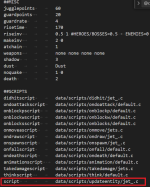
I attached my Jet character and you can see how he is properly configured, in some animations like "fall" I need to change the gravity through a script posted below.
In case your character is a simple helper and doesn't need complex enemy A.I. behaviour, you can skip this step.

C:
void gravity(int flag)
{//Changes gravity effect
    void self                = getlocalvar("self");
    float defaultGravity    = getentityproperty(self, "antigravity");
    float savedGravity        = getentityvar(self, "antigravity");
   
    //GRAVITY DISABLED
    if(flag == 0){

        //SAVE THE ENTITY'S DEFAULT ANTIGRAVITY VALUE INTO A VARIABLE ONCE
        if(savedGravity == NULL()){setentityvar(self, "antigravity", defaultGravity);}

        //DISABLE THE ENTITY'S GRAVITY BY CHANGING IT TO 1
        changeentityproperty(self, "antigravity", 1);
    }

    //GRAVITY ENABLED
    if(flag == 1){

        //DEFINE A DEFAULT VALUE IF THE VARIABLE IS EMPTY TO AVOID THE ENGINE TO CRASH
        if(savedGravity == NULL()){savedGravity = 0;}

        //APPLY THE DEFAULT ANTIGRAVITY VALUE AND CLEAR THE VARIABLE
        changeentityproperty(self, "antigravity", savedGravity);
        setentityvar(self, "antigravity", NULL());
    }
}
 

Attachments

Last edited:
If the Phoenix always fly, you can use seta in all animations to lock its minimum altitude to defined value.

If you need the Phoenix to fly from ground to defined altitude, you might need extra work.
 
Solution
If the Phoenix always fly, you can use seta in all animations to lock its minimum altitude to defined value.

If you need the Phoenix to fly from ground to defined altitude, you might need extra work.
wow, I have spent all day trying to figure, and 1 simple solution seta has solved the problem.
Thank you so much for your help.
 
I will use your solution for AI entities later, thank you so much
@Bruce

I though you want a "float" feature like SOR Jet characters. Indeed the "seta" does the job, I used this method before but I replaced by the scripted method because it's a pain to simulate the float effect adding "seta" in every frame, plus this method is not reusable and can't be applied in many characters at the same time like the scripted method.

In fact the script has a low cost of a few seconds to be applied but with many benefits.
 
@Bruce

I though you want a "float" feature like SOR Jet characters. Indeed the "seta" does the job, I used this method before but I replaced by the scripted method because it's a pain to simulate the float effect adding "seta" in every frame, plus this method is not reusable and can't be applied in many characters at the same time like the scripted method.

In fact the script has a low cost of a few seconds to be applied but with many benefits.
Yep I did in fact, but seta is much less coding. Your jet code would be very good for AI entities.
For my Phoenix summon, it only needs the seta since it always flies at the same altitude at all and its attacks will be just shooting fireballs down.
Your Jet code is more advance and useful for AI entities since you can control how high, etc..
I still need to read more to understand it.
It is amazing how you came up with it.👍
Thanks
 
Back
Top Bottom