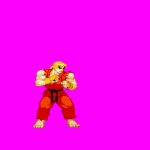
Please add animation command 'relativeoffset'

Status
Not open for further replies.
You can only use absolute offsets for each frame in an animation.

Ex.

offset 20 100
frame img1.png
offset 21 100
frame img2.png
offset 21 101
frame img3.png

The problem with this is that if you make adjusments somewhere, you need to adjust the offsets for each successive frame also, which can be a lot of work.
So what would be really useful here would be to have 'relativeoffset'. The snippet above would then look like:

offset 20 100
frame img1.png
relativeoffset 1 0 #x +1
frame2.png
relativeoffset 0 1 #y+1

This would completely solve this problem.
 
You can only use absolute offsets for each frame in an animation.

Ex.

offset 20 100
frame img1.png
offset 21 100
frame img2.png
offset 21 101
frame img3.png
Not Really.
You need to place the character in an appropriate size magenta square
PNG file
Dimension size 200 x 200 or higher
Then it would look like this:
anime Idle
delay 8
Offset 21 100
Frame img1.png
Frame img2.png
Frame img3.png

I should know, I started off like this adding offsets to each frame since I would use ASU to cut sprites from a sprite sheet and then proceed to create a character in Openbor.
Check out infinitymugenteam.com since there everything is done for you but If you were to look into the games made here ,you would see how its done.
 
offset 20 100
frame img1.png
relativeoffset 1 0 #x +1
frame2.png
relativeoffset 0 1 #y+1
But doing this require the same amount of time or writing a new offset...
This doesn't makes much sense.

Also, outside some specific cases (like simulating a shake effect, etc) you won't need to change the offset if you align the sprites properly.
Using a fixed image size helps a lot.
 
Uhh no, I know what I'm doing, thank you. I know most people are going to prefer recreating the animation in full in their image editor but I prefer using cropped frames and setting the offsets for each one.

I'm asking this because about a decade ago I spent a lot of time creating content for another beat 'em up engine that doesn't begin to compare to OpenBOR, but it did have the relative offset thing, which was useful.
 
Uhh no, I know what I'm doing, thank you.

No, you really don't. And if you think that's some kind of insult, then I suggest you move on to another venue. There's nothing wrong with not knowing something, unless you are unwilling to learn.

I know most people are going to prefer recreating the animation in full in their image editor but I prefer using cropped frames and setting the offsets for each one.

And this is one of the reasons we know. Nobody fully re-creates an animation in the editor unless they too have no idea how animation and game engines actually work. That also goes for using offsets and the "move" commands to create motion and position adjustments. Any time you are dealing with media production, not just games, uniform offsets are ALWAYS the preferred choice when you have that option. You save massive amounts of production time, and can make better use of the given platform's built in tools for motion, adjustment, and so on. It also cuts down on errors.

The only reason to crop images piecemeal is A) you don't have a choice because the platform requires it, or B) to save memory and CPU time on transparent areas. Neither of those apply here. OpenBOR optimizes and crops images internally on startup. You don't save diddly squat by cropping them yourself.

DC
 
Look, I'm not particularly concerned with following standards or anything. I know the gains in terms of memory are negligible but I enjoy this method, and the results are good.
And besides, the time spent on doing offsets for each frame is time saved not doing it in the image editor.

So is it really necessary to say something like I should pursue something else? That's not very welcoming, is it.
 
Why aren't they?
Its a ton of work to begin and not a streamline process that everyone follow which makes it easier for someone to assist.
This is how I started when creating my characters and as seen below their not that bad with regards to offsets, delays and so on.
Issue is that there is only so much I know and if someone else looked at the text file it would be hard to read.
The gif is how I'm doing things now and it require a single offset for the entire character sprites.
I was exactly where you are a month ago.
 

Attachments

  • 0.png
    0.png
    2.3 KB · Views: 1
  • shoryu.gif
    shoryu.gif
    148.6 KB · Views: 1
Look, I'm not particularly concerned with following standards or anything. I know the gains in terms of memory are negligible but I enjoy this method, and the results are good.
And besides, the time spent on doing offsets for each frame is time saved not doing it in the image editor.

So is it really necessary to say something like I should pursue something else? That's not very welcoming, is it.

You were the one who got snippy when you replied to this...

Sorry friend, I have to deny this. As @O Ilusionista said, what you're asking for just shows a fundamental misunderstanding of preparing images and what offsets actually do. We can help with that.

With this...

Uhh no, I know what I'm doing, thank you.

I'm not to trying to welcome, or unwelcome you. I'm just stating a fact, nothing more. It doesn't matter at all why you do something a given way. If it's wrong, it's wrong, and you're eventually going to have issues with it. Now, if you are OK with that, cool. That's your prerogative. However, you will quickly find community members a lot less willing to help when you won't follow their advice. That's human nature.

Since this thread has already started degenerating into a round robin and the initial question was answered, I'm closing it.

DC
 
Status
Not open for further replies.
Back
Top Bottom