
Respawning Z Position Near Walls Instead of Above Walls

maxman

Well-known member
I'm having a problem with respawning points, especially at Z axis. After a character dies, he respawns with or without anim respawn above walls instead of near walls. How can I respawn it at the very point to avoid respawning issues? This attachment shows information of the player's axis, along with the given wall in the code, while the stage's Z limit is 394 488.
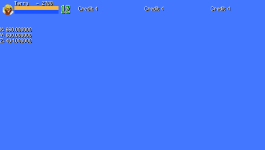
ROD_MAXED_OUT! - 0005.png
Code:
bglayer        data/bgs/1miami1/n01.png

panel        data/bgs/1miami1/n01.png
fglayer        data/bgs/1miami1/f01.png 500 0 0 0 379 0 1 -1 1 1 0 0 0 0 0 0 1 #6
order        aaaaaaaaaaaaaaaaaaaaaaaaaa
#order        ----5----10----15----20----25-
direction       both
settime 0
notime 1
updatescript    data/bgs/1miami1/ocean/ocean.c

light 0 -50
at 0

spawn1 30 10
spawn2 26 30
spawn3 22 50
spawn4 18 70

cameratype 1

wall 600 407 0 25 1500 1500 20 600
 
This is the engine's default behavior: if an entity, subject to walls, spawns at a point where there is a wall, it is moved to the top of that wall instead of being trapped inside it. However, there is a height limit (I don't remember exactly, I think it's 3000px) that the wall can have to achieve this behavior - above that, the entity is killed instantly. I usually use walls with a height of 6000px precisely to remove these entities.

In your case, "onblockwscript" won't work because it detects if the entity has been blocked by a wall, not if it has already appeared inside one.
(note how the arrow was moved upwards, to the top of the wall)

That's why I usually use an anti-wall script in the idle of my projectiles instead of onblockwscript.

I use a code from @Bloodbane in these cases, so I can have granular control over the respawn position in the levels:

Add this to your animationscript:

C-like:
void checkSafeSpot(){
    // Check the previously set positions for a safe respawn position
    // Thanks Bloodbane
    void self = getlocalvar("self"); // Get caller
    int x = getglobalvar("Rx"); //Get respawn x coordinate
    int z = getglobalvar("Rz"); //Get respawn z coordinate
    int XPos = openborvariant("xpos"); // Get Camera position
  
    //settextobj(1, 240,  224, 2, 999999999, x, 300+openborvariant("elapsed_time"));
    //settextobj(2, 240,  234, 2, 999999999, z, 300+openborvariant("elapsed_time"));

    if(x && z){
      changeentityproperty(self, "position", XPos+x, z);
    }
  }

And call the function in the first frame:
@cmd checkSafeSpot

This function will look for two global variables, which need to be cleared during your endlevel.c and are provided during your level; just add this small script to the point where you want to change these values.


spawn empty
@script void main() {
setglobalvar("Rx", 151);
setglobalvar("Rz", 145);
} @end_script

coords 235 164 0
at 1242
 
OK. So, what matters most is that a certain player type entity uses in anim respawn, right? No matter what player index you're using, it's always gonna the chosen character you use in the level with checkSafeSpot function usable. I was going to ask about the specific player index that would be the case to use, but that's not it.

I was going to ask about the thread that has or had that, but I forgot which thread it was. This is why I created this.

endlevel.c
I'm sorry for asking about this but is endlevel.c necessary or required in the scripts folder if I include checkSafeSpot function in animation script? I just copied your endlevel.c file from PDC because I don't know how endlevel.c works when it comes to that setup (safe spot check from walls from respawning above walls).

Code:
void main()
{
    setglobalvar("counter", NULL());
    setglobalvar("stageType",  NULL());
    setglobalvar("stageName", NULL());
    changeopenborvariant("slowmotion", 0);
}

Thanks, O.
 
I just copied your endlevel.c file from PDC because I don't know how endlevel.c works when it comes to that setup
Because on that version I wasn't using it yet.
This is my current endlevel.c - in your case, you just need the Rx and Rz lines


C-like:
void main()
{
    setglobalvar("counter", NULL());
    setglobalvar("stageType",  NULL());
    setglobalvar("stageName", NULL());
    setglobalvar("gridLock",NULL());
    setglobalvar("ko0",NULL());
    setglobalvar("ko1",NULL());
    setglobalvar("ko2",NULL());
    setglobalvar("ko3",NULL());
    
    setglobalvar("Rx", NULL());
    setglobalvar("Rz", NULL());
        
    changeopenborvariant("slowmotion", 0);
}
 
After testing without bothering endlevel.c, you are right. I really need Rx and Rz lines in endlevel.c so I just added them.

(My own) endlevel.c:
C:
void main()
{
    //setglobalvar("counter", NULL());
    //setglobalvar("stageType",  NULL());
    //setglobalvar("stageName", NULL());
    changeopenborvariant("slowmotion", 0);
    setglobalvar("Rx", NULL());
    setglobalvar("Rz", NULL());
}

Thanks, buddy.
 
Back
Top Bottom