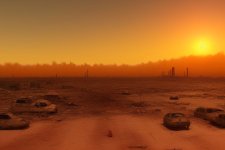
Concept War....War Never Changes... [MATURE CONTENT WARNING]

Idea or proposal that does not yet have substantial progress.
@Grit - whoops I mean Project Zomboid not Day Z, something more like that. But it would be controlled differently without mouse. Still like a typical openbor game, clear the map of enemies, get the loot, move on to the next stage.

@maxman - I might have to resort to mutiple keypress for something but I was thinking more like hold button down, control inventory with up and down to cycle weapons. Hold down the same key and use left and right to select items (like medkits). Then another button will be USE item.

The rest are used for ATTACK1 (single SHOT for guns) , ATTACK2 (BURST SHOT, FOR SMG's etc), special is a dodge key but I might make that passive to free another key, but it is kind of fun to control it. I don't need jumping so that's another key free. Maybe hold jump key to run instead of doubletap.

But I meant a mouse is used for most shooters like that to control where you are shooting. Like Diablo or something. I'm not trying to make that kind of game thou. That would probably be like a raycasting method. But maybe we could do that using drawbox or something. I'm not sure if can control that with script besides drawing a line on the screen. Maybe just have projectiles that target an enemy like a homing missile, but less assisted, like an auto aim.

That's why I'm not sure about even trying to create 8-way directional shooting, I think DC said before it would get very complicated in openbor. How other games do it is like fallout, they create a grid system so they don't have to perform constant checks for the locations of entities. It's just entity is standing in grid#24 and it can be hit if something touches grid#24. Combat in Fallout was turn based so nothing is moving and shooting at the same time. I will just 4 way shooting for now and then make some tests later for other directions. I'm not going to try and make a weapon/ammo system just yet, for now I'm just going to use native openbor stuff and make weapons disposable when ammo is gone. Maybe some script to have extra ammo carried.
 
@maxman - One question, do you have any ideas about this?

I am using MP as an action system. So you cannot just spam attacks etc. Like the real game, for example, everything has an action cost, so firing your current weapon might cost 6 action points, burst mode might cost 8, using a med kit might cost 4ap etc. mpset for the action regen to be fast.

This works totally fine for players as you would imagine, it's default openbor behavior. But for enemies it's not working so well, I resorted to using script to force mpcost and drain/recover their mp. Even that seems pretty screwy even when forcing them to lose it with script. It seemed like I still have to give them energycost setting even thou the script is already controlling whether the anim will play based on current MP. And their mp regen doesn't seem to work. Then I recalled are we even able to use MPSET for enemies? The manual says just for players and npc. So I'm not sure am I doing it right or I'm kind of tricking the engine a bit because it ignores mpset.

I just found a script by Kratus to create mpbar for enemies, so I will try adding that and debug what's going on with these enemies. Do you know good methods for using MP for enemies like this? I should probably have a look what @NickyP has been up to. ;)
 
I don't need jumping so that's another key free. Maybe hold jump key to run instead of doubletap.
Indeed. You don't need anim jump for the jump key at all. 😊

But I meant a mouse is used for most shooters like that to control where you are shooting. Like Diablo or something. I'm not trying to make that kind of game thou. That would probably be like a raycasting method. But maybe we could do that using drawbox or something. I'm not sure if can control that with script besides drawing a line on the screen. Maybe just have projectiles that target an enemy like a homing missile, but less assisted, like an auto aim.
I was thinking of left-clicking and right-clicking, as well as Duck Hunt game on NES which you used a gun-like controller to shoot targets. I don't remember the name of one shooting game I played, but it looks like I did try it when I was young on the arcade. We'll end up using directional keys, but @Bloodbane made an inventory mode for D&D Rise of Warduke mod, as well as "mouse" movement for some certain events (stores, jousts, etc.).


I might have to resort to mutiple keypress for something but I was thinking more like hold button down, control inventory with up and down to cycle weapons. Hold down the same key and use left and right to select items (like medkits). Then another button will be USE item.
@Kratus made a similar script for holding direcitonal key to highlight characters and it's what he did with SORX, I think. But I don't remember. However, he showed it in this particular thread.


I don't remember doing enemy MP's though.

This works totally fine for players as you would imagine, it's default openbor behavior. But for enemies it's not working so well, I resorted to using script to force mpcost and drain/recover their mp. Even that seems pretty screwy even when forcing them to lose it with script. It seemed like I still have to give them energycost setting even thou the script is already controlling whether the anim will play based on current MP. And their mp regen doesn't seem to work. Then I recalled are we even able to use MPSET for enemies? The manual says just for players and npc. So I'm not sure am I doing it right or I'm kind of tricking the engine a bit because it ignores mpset.
I think @msmalik681 made some entityvars which are used for unique bars or meters for a special meter other than health and magic points. I'm not sure, but maybe having an entityvar for an amount of ammos could be useful.

EDIT:
I think you could try aniLimit for the MP if you run out of it.

C:
void aniLimit(void Ani, int Frame, int Limit)
{// Change current animation if MP falls below limit
    void self = getlocalvar("self");
    void MP = getentityproperty(self,"mp"); 

    if (MP < Limit){
      changeentityproperty(self, "animation", openborconstant(Ani));
//      changeentityproperty(self, "animpos", Frame);
      updateframe(self, Frame);
    }
}

Code:
anim    freespecial6
    bbox    45 73 27 42
    loop    0
    delay    16
    offset    67 114
    weaponframe    3 0
    @cmd    aniLimit "ANI_CANT" 0 49
        frame    data/chars/logan/logan2/claw4.png
        delay    7
    sound    data/chars/logan/sfx/claw_out.wav
    frame    data/chars/logan/logan2/claw3.png
    sound    data/chars/logan/sfx/up.wav
        delay    20
    @cmd    mpcost 5
        sound    data/chars/logan/sfx/slice.wav
    frame    data/chars/logan/logan2/claw1.png
    frame    data/chars/logan/logan2/claw1.png

Code:
anim    cant
    delay    5
    offset    66 114
    bbox    47 79 30 35
    frame    data/chars/logan/land.png
 
Last edited:
whoops I mean Project Zomboid not Day Z, something more like that.
If I may, nevermind Zombie Shooter 2 which is fun but I came across one other game that I feel is more in line with what you doing, apparently it's a tribute to the orginal Fallout and I played the hell out of it, the micro management, upgrades and aside from roguelike elements.
 
@Grit I hadn't seen that one before looks really cool actually. And that is a lot like what I had in mind as far as you travel on a map and end up in encounters that way.

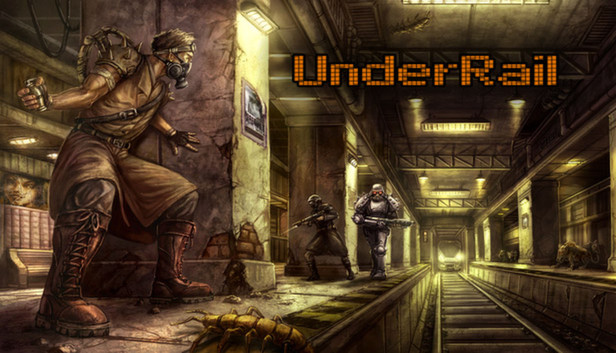
Another cool one which I've played but not completed is UnderRail

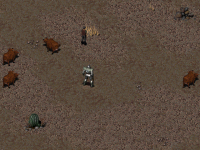
I am copying from the original game, when you're travelling the wasteland and get into random encounters most of those maps are very sparse and there's not much around. So confining you to those type of areas was my plan at first to keep it simple for now.

falloutscreen.png
 
Last edited:
I don't know if you played this, but I bet you haven't. In this game, you can hold an A or B button (I forgot which button) when you're gonna run with directional keys. You're gonna need a keyscript for that during walking mode, I believe. If you hold a jump button and any directional key while walking, you can start running. Ace Attorney: Investigations has it where a player is allowed to run with that.


But what I'm worried about is using sync, but I'm not absolutely sure. I cannot be 100% correct on the sync part.

sync

  • Using sync {animation name} will make the two animation synchronize with each other. For exmpale, in a horse riding stage, you can make idle and walk switch seamlessly, with delay timer inherited.
  • Example:
anim idle
sync walk
....
anim walk
#sync walk # this can be optional since it is already anim walk

 
@maxman I never got sync working perfectly in the past but I've been meaning to try again.

I have made it once before where you hold down the button run to create a turbo mode, kind of like Super Metroid, it was a little wonky but it suited what I was doing at the time. Because he ran on the spot for a bit before taking off, but I liked how it looked and didn't change it.
 
Back
Top Bottom