Chronocrash Modders Tools

ChronoCrash Modders Tools 0.7.9.10.1

No permission to download
@Piccolo

Tested and didn't see any error messages at the moment, thanks man! And all the other new additions suggested were welcomed :)
It's not urgent but maybe in a next update you could turn the green color a bit darkened because the white font is a little hard to read in the model/animation fields in the bindings tab.
Yeah it does that in dark mode. I don't usually use dark mode, and I saw there are some other places where the font color doesn't adapt well to dark mode. I'll adjust those too !
 
if there is a mod with complex levels that illustrate what some of you want to be supported in the level editor of CMT

I'm not sure there is anything complex that's publicly available, fglayer/bglayer is pretty great stuff but I've never seen anything complex in any mods as it's not something creators utilise in their games.
 
Piccolo updated Chronocrash Modders Tools with a new update entry:

Minor changes

Change log

- Adjusted some bright colors in Dark theme
- Fixed a bug in Windows where current session would not be saved properly when closing app
- Added a tab widget to the right of level editor to improve practicality
- Initial support for "fglayer" in level editor. Only support "path" and "z" parameters as of now. Unless someone send me precise things that they want to be supported (with example) I probably won't add anything to the level editor.

Read the rest of this update entry...
 
Hey Piccolo, I am trying this tool again and I have some quick feedbacks:

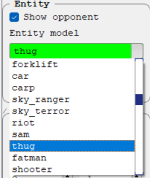
- It's possible to list the entities ordered from A to Z?
1675888199138.png

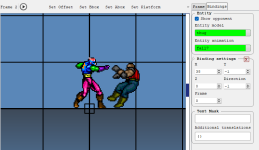
- I am trying the binding tool and to be able to visualize it inside the tool is really great. But we need to see where the axis is, graphically, on the target too:
1675888305169.png

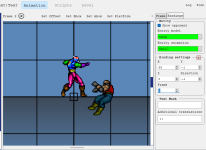
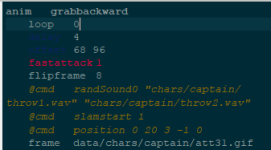
Because since I use frames with multiple axis (see here under "some notes"), its hard to see where the axis is on the target:
1675888359904.png

Btw how the TEXT MASK works?

EDIT: under the SOLARIZED theme, the delay and offset are hard to see:
1675888574059.png
 
  • Like
Reactions: NED
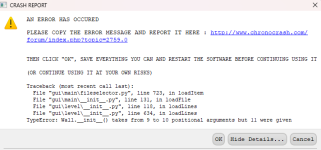
Another thing - I got an warning when trying to edit my stage and, as far as I could got, its related to the WALL using 11 arguments
1675888772215.png

I am attaching the stage code here so you can check it.

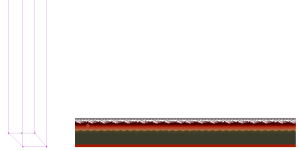
The editor shows the wall on a totally different place
1675888956825.png

while the wall is located at right of the stage:

1675888932263.png

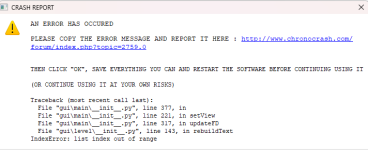
Also, once I try to get back to TEXT mode, the tool gives me another warning
1675889007065.png
 

Attachments

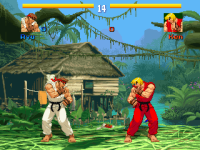
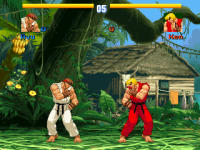
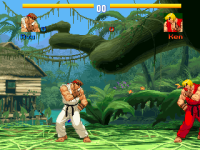
bglayer shouldn't be complicated. Here's an easier/a better example, though it doesn't exist in the resources section. There are no fglayers in Blanka's stage.

Blanka.txt:
Code:
music    data/music/blanka.ogg 2677311

bglayer data/bgs/blanka/0_4-0.png 0.6366 0 0 0 1 1 1 1 1 0 0 0 0 0 0 # Landscape
bglayer data/bgs/blanka/0_3-0.png 0.425 0 0 0 1 1 1 1 1 0 0 0 0 0 0 # Hut, vines and trees
bglayer data/bgs/blanka/0_2-0.png 0 0 0 0 1 1 1 1 1 0 0 0 0 0 0 # Banana tree, fish, orange cloth, leaves
bglayer data/bgs/blanka/0_1-0.png 0 0 0 0 1 1 1 1 1 0 0 0 0 0 0 # Big trees and thick vines #0.3843 0 0 0 1 1 1 1 1 0 0 0 0 0 0
bglayer data/bgs/blanka/0_0-0.png 0 0 0 208 1 1 1 1 1 0 0 0 0 0 0 # Ground
direction both
order a
settime 0
notime 1
panel    data/bgs/blanka/panel.gif
levelscript data/levels/vs/pvp.c

#=========
#bglayer 0 1 2 3 4 5 6 7 8 9 10 11 12 13 14 15
# 0 - path
# 1 - xratio
# 2 - zratio
# 3 - xposition
# 4 - zposition
# 5 - xspacing
# 6 - zspacing
# 7 - xrepeat
# 8 - zrepeat
# 9 - transparency
# 10 - alpha
# 11 - watermode (if set to 3, next 3 parameters become beginsize, endsize and perspective; if set to 1, water effect will play)
# 12 - amplitude (if watermode set to 1, not 3) / beginsize (if watermode set to 3, not 1)
# 13 - wavelength (if watermode set to 1, not 3) / endsize (if watermode set to 3, not 1)
# 14 - wavespeed (if watermode set to 1, not 3) / perspective (if watermode set to 3, not 1)
# 15 - bgspeedratio
#==========

Note that I put the parameters and labels of bglayer for easier arrangement in coding so I wouldn't get confused which part to set.

The panel.gif I have set for Blanka's stage is blank and its size is 752x244.

BTW I made an illustration for making scrollable blocks with special numbers based on their entries in code but it's incomplete. Do you want me to show you the illustration I have so far, or are you going to wait until I complete it?

I realize that scrollx is only useful when it comes with direction both or rightleft in levels. Cannot use direction leftright.

In case you'd like me to show you the scrollable block illustration, here's the reference for the scrollable wait.


Attachments

  • My Mod - 0856.png
    My Mod - 0856.png
    48.9 KB · Views: 3
  • My Mod - 0857.png
    My Mod - 0857.png
    51.9 KB · Views: 3
  • My Mod - 0858.png
    My Mod - 0858.png
    47.6 KB · Views: 3
@Piccolo, I recommend you don't waste your time supporting bglayers - they only exist for backward compatibility. If anything, having it in the editor just encourages outdated methods. Fglayer has the same functionally and more with less complexity to worry about.

DC
 
Piccolo updated Chronocrash Modders Tools with a new update entry:

Version 0.4.4

Change log for version 0.4.4 :


LEVEL EDITOR :
  • Optimized entity loading in level editor, so that switching multiple times from "Text" view and "Level" view will be a lot faster (instantaneous in most cases)
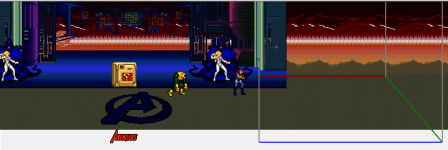
  • added a red rectangle that represents the screen/camera. You can simulate scroll with left and right arrows on your keyboard. Hold "Alt" to increase scroll speed.
  • added support of more parameters for fglayer and bglayer commands.
  • added initial support for...

Read the rest of this update entry...
 
Wow, you've been on a tear @Piccolo. This editor is a beast, and it's not even at 1.0 yet. :oops:

Amazing work!

DC
Thanks, and yep haha, I no longer write code in my work, I forgot the joy and flow I could get from it ! I was surprised 😁

This current spree probably won't last a lot longer, but it has certainly been a very enjoying distraction so far, which is why I hung to it.

As for 1.0, CMT may or may not reach it, we'll see, I only bump the version when there are major changes. If one day I have more free time to finish The Bruiser Brigade, then I'll probably work a lot on CMT too. In the meantime, I'll take requests from the community :)
 
I recommend you don't waste your time supporting bglayers -
I can't agree more.

@Piccolo Everything you do with bglayer (or the gods knows why it exists "layer"), you do with flayer and better - you can only control the z position using fglayler, as DC explained to me once.

By the way, everything is an "fglayer" inside the engine - even background or front layer. The engine just set default Z positions based on what you use (background, front panel, etc)
 
I can't agree more.

@Piccolo Everything you do with bglayer (or the gods knows why it exists "layer"), you do with flayer and better - you can only control the z position using fglayler, as DC explained to me once.

By the way, everything is an "fglayer" inside the engine - even background or front layer. The engine just set default Z positions based on what you use (background, front panel, etc)
Yeah I'm not surprised. I did end up adding support for displaying "bglayer" but simply because for me it was basically the same as all the others, barely any specific code was added for that.

That said, right now there is only code for displaying the layers, or text to GUI. There is no GUI to text code as far as layers are concerned, because currently you can't visually manipulate them in the GUI, so those lines stay untouched when CMT rebuild the text from the GUI. But if I add visual manipulation, then those lines will be reconstructed, and through that I could easily add an option to convert existing "bglayer" entries to "fglayer" entries.
 
I remember some issue I had with CMT long time ago and, last test I did few days ago had the same issue: if you use .gif* images on your character and try to export an animated gif from the current animation, the program doesn't save it.

*The reason I use .gif instead of .png is thanks to an old issue on the engine, where .png images increased the load time a lot. Plombo fixed it on later version, but i still use 6330 build.
 
I remember some issue I had with CMT long time ago and, last test I did few days ago had the same issue: if you use .gif* images on your character and try to export an animated gif from the current animation, the program doesn't save it.

*The reason I use .gif instead of .png is thanks to an old issue on the engine, where .png images increased the load time a lot. Plombo fixed it on later version, but i still use 6330 build.

@O Ilusionista I just uploaded a new rev with a totally new method to export animations. That doesn't mean it's better, it will probably kinda work, but the results might not be that good for animations that have sprites of various dimensions. And delays seem to be messed up sometimes. I'll maybe try to figure a way to guarantee a proper export later. Or maybe there's already some kind of program to do that properly :unsure:
 
Back
Top Bottom