xyz555
Member
please tell me thank you
I have a script here
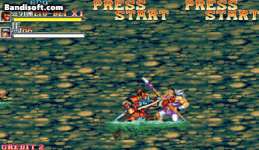
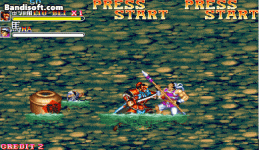
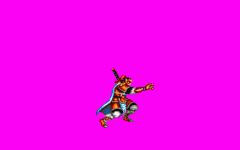
It allows the entity to be between certain frames and can reach the position coordinates I need
it works perfectly
But I don't know how can I convert it into @cmd way to use
please all help
@script
if (frame==7){
void self = getlocalvar("self");
float Tx = getentityproperty(self, "x");
float Tz = getentityproperty(self, "z");
int Dir = getentityproperty(self, "direction");
float Tz1 = Tz+1;
float Tx1 = Tx+1;
if(Dir==1){
changeentityproperty(self, "position", Tx-68, Tz1, 0);
} else if (Dir==0){
changeentityproperty(self, "position", Tx+68, Tz1, 0);
}
} else if (frame==8){
void self = getlocalvar("self");
float Tx = getentityproperty(self, "x");
float Tz = getentityproperty(self, "z");
int Dir = getentityproperty(self, "direction");
float Tz1 = Tz+1;
float Tx1 = Tx+1;
if(Dir==1){
changeentityproperty(self, "position", Tx-24, Tz1, 0);
} else if (Dir==0){
changeentityproperty(self, "position", Tx+24, Tz1, 0);
}
} else if (frame==14){
void self = getlocalvar("self");
float Tx = getentityproperty(self, "x");
float Tz = getentityproperty(self, "z");
int Dir = getentityproperty(self, "direction");
float Tz1 = Tz+1;
float Tx1 = Tx+1;
if(Dir==1){
changeentityproperty(self, "position", Tx-34, Tz1, 0);
} else if (Dir==0){
changeentityproperty(self, "position", Tx+34, Tz1, 0);
}
}
@end_script
I am very thank you all !!
I have a script here
It allows the entity to be between certain frames and can reach the position coordinates I need
it works perfectly
But I don't know how can I convert it into @cmd way to use
please all help
@script
if (frame==7){
void self = getlocalvar("self");
float Tx = getentityproperty(self, "x");
float Tz = getentityproperty(self, "z");
int Dir = getentityproperty(self, "direction");
float Tz1 = Tz+1;
float Tx1 = Tx+1;
if(Dir==1){
changeentityproperty(self, "position", Tx-68, Tz1, 0);
} else if (Dir==0){
changeentityproperty(self, "position", Tx+68, Tz1, 0);
}
} else if (frame==8){
void self = getlocalvar("self");
float Tx = getentityproperty(self, "x");
float Tz = getentityproperty(self, "z");
int Dir = getentityproperty(self, "direction");
float Tz1 = Tz+1;
float Tx1 = Tx+1;
if(Dir==1){
changeentityproperty(self, "position", Tx-24, Tz1, 0);
} else if (Dir==0){
changeentityproperty(self, "position", Tx+24, Tz1, 0);
}
} else if (frame==14){
void self = getlocalvar("self");
float Tx = getentityproperty(self, "x");
float Tz = getentityproperty(self, "z");
int Dir = getentityproperty(self, "direction");
float Tz1 = Tz+1;
float Tx1 = Tx+1;
if(Dir==1){
changeentityproperty(self, "position", Tx-34, Tz1, 0);
} else if (Dir==0){
changeentityproperty(self, "position", Tx+34, Tz1, 0);
}
}
@end_script
I am very thank you all !!

 . But I can find pattern
  there so my suggested function is this: