I could swear you told me that, lol.
Maybe I did.. Derp. Checking....
No, they are still there, and I can't imagine having a reason to remove them. If I ever said that, I misspoke big-time. Here's the logic:
First, we start with default of 0. If OpenBOR finds
"videomode", it reads the reads the adjacent arguments.
If those arguments contain an
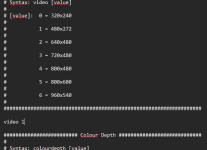
"x", the engine sets video mode 255 (the custom mode) and extracts resolution from the numeric portion of the arguments. Otherwise, it reads video mode directly from first numeric argument and attempts to find a match in its list of presets. Resolution and some other things are then populated from matched preset accordingly. No match found gets you kicked to the desktop.
C:
    if(stricmp(command, "video") == 0)
    {
        value = GET_ARG(1);
        if((value2 = strchr(value, 'x')))
        {
            videomodes.hRes = atoi(value);
            videomodes.vRes = atoi(value2 + 1);
            videoMode = 255;
        }
        else
        {
            videoMode = GET_INT_ARG(1);
        }
    }
    else if(stricmp(command, "scenes") == 0)
    {
        len = strlen(GET_ARG(1));
        custScenes = malloc(len + 1);
        strcpy(custScenes, GET_ARG(1));
        custScenes[len] = 0;
    }
    else if(stricmp(command, "backgrounds") == 0)
    {
        len = strlen(GET_ARG(1));
        custBkgrds = malloc(len + 1);
        strcpy(custBkgrds, GET_ARG(1));
        custBkgrds[len] = 0;
    }
    else if(stricmp(command, "levels") == 0)
    {
        len = strlen(GET_ARG(1));
        custLevels = malloc(len + 1);
        strcpy(custLevels, GET_ARG(1));
        custLevels[len] = 0;
    }
    else if(stricmp(command, "models") == 0)
    {
        len = strlen(GET_ARG(1));
        custModels = malloc(len + 1);
        strcpy(custModels, GET_ARG(1));
        custModels[len] = 0;
    }
    else if(stricmp(command, "colourdepth") == 0)
    {
        printf("\nColordepth is depreciated. All modules are displayed with a 32bit color screen.\n\n");
    }
    else if(stricmp(command, "forcemode") == 0) {}
    else if(command && command[0])
    {
        printf("Command '%s' not understood in file '%s'!\n", command, filename);
    }
}

....

VIDEOMODES:
    videomodes.mode    = videoMode;
    videomodes.filter  = savedata.swfilter;
    switch (videoMode)
    {
        // 320x240
    case 0:
        videomodes.hRes    = 320;
        videomodes.vRes    = 240;
        videomodes.hScale  = 1;
        videomodes.vScale  = 1;
        videomodes.hShift  = 0;
        videomodes.vShift  = 0;
        videomodes.dOffset = 231;
        PLAYER_MIN_Z       = 160;
        PLAYER_MAX_Z       = 232;
        BGHEIGHT           = 160;
        break;

        // 480x272
    case 1:
        videomodes.hRes    = 480;
        videomodes.vRes    = 272;
        videomodes.hScale  = (float)1.5;
        videomodes.vScale  = (float)1.13;
        videomodes.hShift  = 80;
        videomodes.vShift  = 20;
        videomodes.dOffset = 263;
        PLAYER_MIN_Z       = 182;
        PLAYER_MAX_Z       = 264;
        BGHEIGHT           = 182;
        break;

        // 640x480
    case 2:
        videomodes.hRes    = 640;
        videomodes.vRes    = 480;
        videomodes.hScale  = 2;
        videomodes.vScale  = 2;
        videomodes.hShift  = 160;
        videomodes.vShift  = 35;
        videomodes.dOffset = 464;
        PLAYER_MIN_Z       = 321;
        PLAYER_MAX_Z       = 465;
        BGHEIGHT           = 321;
        break;

        // 720x480
    case 3:
        videomodes.hRes    = 720;
        videomodes.vRes    = 480;
        videomodes.hScale  = 2.25;
        videomodes.vScale  = 2;
        videomodes.hShift  = 200;
        videomodes.vShift  = 35;
        videomodes.dOffset = 464;
        PLAYER_MIN_Z       = 321;
        PLAYER_MAX_Z       = 465;
        BGHEIGHT           = 321;
        break;

        // 800x480
    case 4:
        videomodes.hRes    = 800;
        videomodes.vRes    = 480;
        videomodes.hScale  = 2.5;
        videomodes.vScale  = 2;
        videomodes.hShift  = 240;
        videomodes.vShift  = 35;
        videomodes.dOffset = 464;
        PLAYER_MIN_Z       = 321;
        PLAYER_MAX_Z       = 465;
        BGHEIGHT           = 321;
        break;

        // 800x600
    case 5:
        videomodes.hRes    = 800;
        videomodes.vRes    = 600;
        videomodes.hScale  = 2.5;
        videomodes.vScale  = 2.5;
        videomodes.hShift  = 240;
        videomodes.vShift  = 44;
        videomodes.dOffset = 580;
        PLAYER_MIN_Z       = 401;
        PLAYER_MAX_Z       = 582;
        BGHEIGHT           = 401;
        break;

        // 960x540
    case 6:
        videomodes.hRes    = 960;
        videomodes.vRes    = 540;
        videomodes.hScale  = 3;
        videomodes.vScale  = 2.25;
        videomodes.hShift  = 320;
        videomodes.vShift  = 40;
        videomodes.dOffset = 522;
        PLAYER_MIN_Z       = 362;
        PLAYER_MAX_Z       = 524;
        BGHEIGHT           = 362;
        break;

    case 255:
        videomodes.dOffset = videomodes.vRes * 0.9625;
        printf("\nUsing debug video mode: %d x %d\n", videomodes.hRes, videomodes.vRes);
        break;
    default:
        borShutdown(1, "Invalid video mode: %d in 'data/video.txt', supported modes:\n"
                 "0 - 320x240\n"
                 "1 - 480x272\n"
                 "2 - 640x480\n"
                 "3 - 720x480\n"
                 "4 - 800x480\n"
                 "5 - 800x600\n"
                 "6 - 960x540\n\n", videoMode);
        break;
    }
As you can see,
"colordepth" just prints an alert to the log. There's also a legacy
"forcemode" that doesn't even do that much. It's just ignored entirely. The manual is also ambiguous to what it was meant for, and there's no relevant mention of it in code.
Finally, and this is important - notice how the preset modes attempt to set up basic defaults to compensate for the resolution difference. Starting positions, behavior scale, and so on. In mode 255, you are on your own. This has some ramifications that might look like bugs, or be very confusing at the least.
For example, these two would look like they are the same thing:
Code:
videomode 1
videomode 480x272
They are not at all. The resolution is identical, but underneath,
videomode 1 also modifies player starting position, background position, default Z boundaries, and several other values to try and set up a resolution appropriate template. Wheras
videomode 480*272 leaves almost all that untouched.
DC