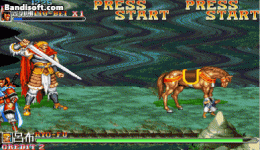
I hope that when self moves to the ent position, self can stop immediately

xyz555

Member
Now this script can make self move to the ent of the specific name target

But self cannot stop when it reaches ent position,

I hope that when self moves to the ent position, self can stop immediately ( changeentityproperty(self, "velocity", 0, 0, 0); )

Or switch to animation ( anim idle)


thank you!!!
 
Last edited:
void targetentity(float xx, float zz, float dx, float dz, void type, char ent_name)
{ //@cmd targetentity 2 1 0 0 "ITEM" "horse-e"
float Velx=xx, Velz=zz, dx=0, dz=0;
void self = getlocalvar("self");
int dir = getentityproperty(self, "direction");
float x = getentityproperty(self, "x");
float z = getentityproperty(self, "z");
if (dir == 0) { dx = -dx; }else{}
void target = getlocalvar("Target" + self);
void i=0,found=0;
for(i=0; i<openborvariant("ent_max"); i++) {
void target = getentityproperty(self, "opponent");
void ent = getentity(i);
if((getentityproperty(ent,"exists"))
&& (!getentityproperty(ent,"dead"))
&& (getentityproperty(ent,"TYPE") == openborconstant("TYPE_"+type))
&& (getentityproperty(ent,"model") == ent_name))
{
setlocalvar("T"+self,ent);
if(ent==NULL())
{
setlocalvar("Target" + self, ent);
}
if(ent!=NULL())
{
float Tx = getentityproperty(ent, "x");
float Tz = getentityproperty(ent, "z");
if(Tx < x){
changeentityproperty(self, "direction", 0);
} else {
changeentityproperty(self, "direction", 1);
}
x = x+dx;
z = z+dz;
float Disx = Tx - x;
float Disz = Tz - z;
if(Disx < 0){ Disx = -Disx; }
if(Disz < 0){ Disz = -Disz; }
if(Disz < Disx) {
if(Tx < x){
found=1;
setlocalvar("x"+self, -Velx);
} else {
found=1;
setlocalvar("x"+self, Velx);
}
setlocalvar("z"+self, Velx*(Tz-z)/Disx);
} else {
if(Tz < z){
found=1;
setlocalvar("z"+self, -Velz);
} else {
found=1;
setlocalvar("z"+self, Velz);
}
setlocalvar("x"+self, Velz*(Tx-x)/Disz);
}
} else {
setlocalvar("z"+self, 0);
if(dir==0){
setlocalvar("x"+self, -Velx);
} else { setlocalvar("x"+self, Velx); }
}
float Vvx = getlocalvar("x"+self);
float Vvz = getlocalvar("z"+self);
if( Vvx!=NULL() && Vvz!=NULL() ) {
changeentityproperty(self, "velocity", Vvx, Vvz);
found=1;
}
}
}
if(!found){
changeentityproperty(self, "velocity", 0, 0, 0);
setidle(self);
}
}

 
I know how this targetting script works. However I wish it were that simple to stop on target. This script was meant to move entity towards target and that's it. The target could have moved away when that entity has reached last position. This is why I never coded anything to stop entity there.
 
I know how this targetting script works. However I wish it were that simple to stop on target. This script was meant to move entity towards target and that's it. The target could have moved away when that entity has reached last position. This is why I never coded anything to stop entity there.

Thank you very much for your attention, but my (target) will be fixed, it will not move.
Will the script be able to achieve my request? Thank you.
 
Hmmm.... so are you trying to create animation to move to an item then stop to pick up the item?
Yes!This is, and one of the required effects, but I now hope that he can firstly, when self reaches the target position, self will stop moving and can transform the required animation at the same time, thank you!!!
 
Sorry for late reply, I was busy creating games for 2 gamejams back to back. Now with both games done and released, I could spend some time to work on this.
I've coded special function for this purpose. And since it's not simple, I'd need to use example which you need to download from this link.

This rar contains Goon2 which walks toward player using new target function and will stop at player or player's last position, if player has moved away.
 
Sorry for late reply, I was busy creating games for 2 gamejams back to back. Now with both games done and released, I could spend some time to work on this.
I've coded special function for this purpose. And since it's not simple, I'd need to use example which you need to download from this link.

This rar contains Goon2 which walks toward player using new target function and will stop at player or player's last position, if player has moved away.
Thanks for your reply, your script is valid, but if I need to specify the name or identity of the object when picking it up, such as a weapon, what should I do? , thank you very much for your reply
 
Do you need script to force entity to pick up specific item?


I have script to do that but for any item within range. I could modify that for specific item only.
 
Do you need script to force entity to pick up specific item?


I have script to do that but for any item within range. I could modify that for specific item only.

First of all, thank you Mr. Bloodbane for your attention and reply,

We have been very busy at work during this time,

So we all delay communication,

But I believe this does not hinder our enthusiasm for the game

Thank you Mr. Bloodbane,
In fact, I hope that this script can make self, when a certain (item with a specific name) appears on the screen,
self, you can walk quickly to pick up the item with this specific name

This seems a bit complicated, but it is still worth studying. Thank you very much for your help and attention. I wish you good health and happy work thank you.
 
Alright, here's the function:
C++:
void getItemA(void Name, int Rx, int Rz)
{// Gets specified item within defined distance
  void self = getlocalvar("self");
  float x = getentityproperty(self, "x");
  float z = getentityproperty(self, "z");
  void item = finditem();
  float Ix, Iz, Disx, Disz; void IName;

  if(item){
    Ix = getentityproperty(item, "x");
    Iz = getentityproperty(item, "z");
    IName = getentityproperty(item, "name");
    Disx = Ix - x;
    Disz = Iz - z;

    if(Disx < 0){
      Disx = -Disx;
    }

    if(Disz < 0){
      Disz = -Disz;
    }

    if(IName == Name && Disx <= Rx && Disz <= Rz){
      pickup(self, item);
    }
  }
}

Usage example: @cmd getItemA "Apple" 50 20
This function will make enemy takes item named Apple within 50 pixels in x axis and 20 in z axis. Item name is case sensitive.
 
Usage example: @cmd getItemA "Apple" 50 20
This function will make enemy takes item named Apple within 50 pixels in x axis and 20 in z axis. Item name is case sensitive.
Can you add animation there?
C:
      performattack(self, openborconstant(Ani));
 
Can you add animation there?

I haven't tested it but it should be

C-like:
void getItemA(void Name, int Rx, int Rz, void Ani)
{// Gets specified item within defined distance
  void self = getlocalvar("self");
  float x = getentityproperty(self, "x");
  float z = getentityproperty(self, "z");
  void item = finditem();
  void Ani;

  float Ix, Iz, Disx, Disz; void IName;

  if(item){
    Ix = getentityproperty(item, "x");
    Iz = getentityproperty(item, "z");
    IName = getentityproperty(item, "name");
    Disx = Ix - x;
    Disz = Iz - z;

    if(Disx < 0){
      Disx = -Disx;
    }

    if(Disz < 0){
      Disz = -Disz;
    }

    if(IName == Name && Disx <= Rx && Disz <= Rz){
     performattack(self, Ani, 1);
      pickup(self, item);
    }
  }
}

and you should call it
@cmd getItemA "Apple" 50 20 openborconstant("ANI_GET")
 
Alright, here's the function:
C++:
void getItemA(void Name, int Rx, int Rz)
{// Gets specified item within defined distance
  void self = getlocalvar("self");
  float x = getentityproperty(self, "x");
  float z = getentityproperty(self, "z");
  void item = finditem();
  float Ix, Iz, Disx, Disz; void IName;

  if(item){
    Ix = getentityproperty(item, "x");
    Iz = getentityproperty(item, "z");
    IName = getentityproperty(item, "name");
    Disx = Ix - x;
    Disz = Iz - z;

    if(Disx < 0){
      Disx = -Disx;
    }

    if(Disz < 0){
      Disz = -Disz;
    }

    if(IName == Name && Disx <= Rx && Disz <= Rz){
      pickup(self, item);
    }
  }
}

Usage example: @cmd getItemA "Apple" 50 20
This function will make enemy takes item named Apple within 50 pixels in x axis and 20 in z axis. Item name is case sensitive.

Recently, due to the war between Russia and Ukraine, the global economy has been difficult, and it has also directly affected my industry, making my current working days very busy, but my income has dropped instead. (Sorry, I just express my life by the way)


Thank you very much for your attention and reply, Bloodban sir. and O Ilusionista sir.Your script is effective, but it still can’t be realized. Let the enemy directly (quickly run over to snatch items) (here be quickly over to snatch items according to the name), in fact, is the script function of openbor functional? Support this (quick run over to grab items) request?


Because my current method is not very good

How I wish the script could achieve this effect

Thank you and wish you happy work and good health
Thank you very much!
 

Attachments

  • IMG_0542.GIF
    IMG_0542.GIF
    3.4 MB · Views: 8
Well, that's the tough part of this i.e designing enemy AI to choose what to do when there are items and player nearby. The most crude and simplest way is to ignore player whenever item is seen nearby and just walk/run toward the item to get it.
 
Well, that's the tough part of this i.e designing enemy AI to choose what to do when there are items and player nearby. The most crude and simplest way is to ignore player whenever item is seen nearby and just walk/run toward the item to get it.


In fact, my script has been able to run through a loop in a specific animation, let self recognize an item with a specific name, and self run and sprint to the coordinates of the item. If self can be stopped at the coordinates of a specific item, then convert Another animation, pick up items in this animation, is this solution feasible? , thank you very much for your reply Bloodbane sir


C:
void targetentity(float xx, float zz, float dx, float dz, void type, char ent_name)
{ //@cmd targetentity 2 1 0 0 "ITEM" "horse-e"
float Velx=xx, Velz=zz, dx=0, dz=0;
void self = getlocalvar("self");
int dir = getentityproperty(self, "direction");
float x = getentityproperty(self, "x");
float z = getentityproperty(self, "z");
if (dir == 0) { dx = -dx; }else{}
void target = getlocalvar("Target" + self);
void i=0,found=0;
for(i=0; i<openborvariant("ent_max"); i++) {
void target = getentityproperty(self, "opponent");
void ent = getentity(i);
if((getentityproperty(ent,"exists"))
&& (!getentityproperty(ent,"dead"))
&& (getentityproperty(ent,"TYPE") == openborconstant("TYPE_"+type))
&& (getentityproperty(ent,"model") == ent_name))
{
setlocalvar("T"+self,ent);
if(ent==NULL())
{
setlocalvar("Target" + self, ent);
}
if(ent!=NULL())
{
float Tx = getentityproperty(ent, "x");
float Tz = getentityproperty(ent, "z");
if(Tx < x){
changeentityproperty(self, "direction", 0);
} else {
changeentityproperty(self, "direction", 1);
}
x = x+dx;
z = z+dz;
float Disx = Tx - x;
float Disz = Tz - z;
if(Disx < 0){ Disx = -Disx; }
if(Disz < 0){ Disz = -Disz; }
if(Disz < Disx) {
if(Tx < x){
found=1;
setlocalvar("x"+self, -Velx);
} else {
found=1;
setlocalvar("x"+self, Velx);
}
setlocalvar("z"+self, Velx*(Tz-z)/Disx);
} else {
if(Tz < z){
found=1;
setlocalvar("z"+self, -Velz);
} else {
found=1;
setlocalvar("z"+self, Velz);
}
setlocalvar("x"+self, Velz*(Tx-x)/Disz);
}
} else {
setlocalvar("z"+self, 0);
if(dir==0){
setlocalvar("x"+self, -Velx);
} else { setlocalvar("x"+self, Velx); }
}
float Vvx = getlocalvar("x"+self);
float Vvz = getlocalvar("z"+self);
if( Vvx!=NULL() && Vvz!=NULL() ) {
changeentityproperty(self, "velocity", Vvx, Vvz);
found=1;
}
}
}
if(!found){
changeentityproperty(self, "velocity", 0, 0, 0);
setidle(self);
}
}


anim pain99
loop 1
Delay 6
@cmd targetentity 2 1 0 0 "ITEM" "horse-e"
OffSet 164 171
BBox 154 106 33 69
Frame data\chars\zhanghe\walk001.gif
OffSet 164 171
Frame data\chars\zhanghe\walk002.gif
OffSet 164 172
Frame data\chars\zhanghe\walk003.gif
OffSet 164 172
BBox 154 106 33 69
Frame data\chars\zhanghe\walk004.gif
OffSet 164 171
Frame data\chars\zhanghe\walk005.gif


thank you very much for your reply Bloodbane sir
 
Last edited by a moderator:
You should learn how to type scripts better cause it's hard to read and grasp block of lines like the above.
I had to arrange those lines to understand what you want with those.
That being said, I disagree with merging multiple functions into one like this. There is a reason I split functions into what's you seen in my games and the reason is flexibility.
I don't know if your function is going to work properly or not (I see some redundancies there) but my suggestion is to split it into multiple functions.
 
Back
Top Bottom