
problems about game design of a level: camera, respawn player, start level

Steven1985

Active member
Hi guys, I am three problems with this level: camera, respawn player and start level.

The stage is this 980 x 497
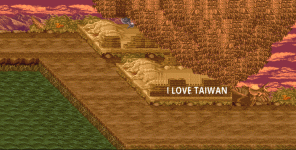
front.gif
C-like:
music data/music/boss3.bor
#background    data/bgs/stage5/back.gif

panel        data/bgs/stage5/front.gif

#z 113 475 160

direction    right
order a

wall 490 351 -255 0 600 680 256 95
wall 131 497 -250 -240 0 304 308 260 #default hole

#spawn1  30 260 200
#spawn2  40 270 200

spawn   5w
coords    198 178
at 0

settime 5

########## 113-475 #############


spawn    LevelHold
coords    30 260 # default100 200
at    0

spawn   drum
item money
coords    253 297
at 0

#spawn   ferris
#coords  -30 130
#health  100
#at      0

1) Problem number one: camera

I'd like to know:
1- what the coordinates b 200 x 30 y 260 z 260 above the character are part of;
2- as you can see in the video from point 40'' to 1'' if the character goes up, the camera also goes up a little and I would like it not to do this but to stay stuck;
3- as you can see in the video from point 1' also here when the character exceeds a certain number of z-coordinates the camera also rises but I would like it to remain fixed so that I can always see the base of the level (that is to the coordinate 497)

2) Problem number two: character respawn
I'd like to know: Why when the character respawns it appears on top and not on the ground?

3) Problem number three: start of the level
I'd like to know: Why does the level start like this when I activate spawn1? I have to hold up to go up with the camera and make the character appear.

This is the first time I have dealt with this type of level. So far I have put all linear levels in my games.

Thank you in advance.
 
Some points to share:
Question 1 - I am having the same problem and I realized that scrollz doesn't work for that. Thats because unlike scrollx, characters can go outside of the screen in z axis. I dunno if we change the direction to UP or DOWN will solve it. What I do is spawn invisible obstacles to block the players walk and destroy them when I need to move.

Question 2 - "Why when the character respawns it appears on top and not on the ground?" Because the spawn point is based on the stage min Z, and that value is set way higher. @Bloodbane has a script for that which helps on this case:

Yes, the safe position is defined using global variable but there are two settings: absolute and relative. In the former, player will be respawned at exactly defined coords and in the latter, player will be relative to left screen edge.
This script is using indexed variable but the idea is the same.
In player's RESPAWN:


anim respawn
Code:
@script
    void self = getlocalvar("self");
    int iPIndex = getentityproperty(self,"playerindex");
    int x = getindexedvar(0); //Get respawn x coordinate
    int z = getindexedvar(1); //Get respawn z coordinate
    int a = getindexedvar(2); //Get respawn a coordinate
    int Flag = getindexedvar(3); //Get respawn flag
    int XPos = openborvariant("xpos");
    int Sx;

    if(a && x && z && frame == 0){
      if(Flag){
        Sx = x;
      } else {
        Sx = XPos+x;
      }

      if(iPIndex == 0){
        changeentityproperty(self, "position", Sx-10, z, a);
      } else if(iPIndex == 1){
        changeentityproperty(self, "position", Sx+10, z, a);
      }
    }
@end_script
    delay    5
    offset    68 131
    frame    data/chars/misc/empty.gif
    frame    data/chars/billy/idle1.png

There are extra lines to differentiate player 1 and 2's respawn coords a bit.
Indexed variable 3 is used to set absolute or relative. If it's set to 1, it's absolute.
Example of respawn coords setting :


Code:
@script
void main()
{
    setindexedvar(0, 120);
    setindexedvar(1, 250);
    setindexedvar(2, 1);
}
@end_script

Indexed variable 3 isn't set so when player is respawned, he will be respawned 120 pixels from left screen edge, 1 pixel from ground and at z = 250.

These variables are cleared every time level ends so they won't be affecting levels who don't have any of these declared.


Question 3 - you can change the camerazoffset to match that point (and you will need to change it back when you are on the lower level.
You can paste this code (in bold) in any entity you spawn on that position on the level, like this:

spawn empty
@script
void main()
{
changelevelproperty("camerazoffset", -40); //Z offset for camera
}
@end_script

coords -100 -100
at 4408
 
3) Problem number three: start of the level

By default camera will start from top of field, so if your camera is pushed to the bottom like this, something must have caused that. You'd need to check 2 things:
1. cameraoffset setting
2. Any command or script which pulls the camera like that.

However on deeper analysis, looks like Jack is spawned on top of the wall (the one covering water on the bottom left) when level starts. The only thing I see which could do that is spawn1 setting in the level. The other possible cause is script which puts Jack there. So do you have the latter or the former?

1) Problem number one: camera
TBH I rather use scripted camera for this diagonal level. It's hard to share the script for this cause it is usually custom coded to suit the level.
 
However on deeper analysis, looks like Jack is spawned on top of the wall (the one covering water on the bottom left) when level starts. The only thing I see which could do that is spawn1 setting in the level. The other possible cause is script which puts Jack there. So do you have the latter or the former?
Jack has no script. As you can see in the spoiler stage5_test there is spawn1.
 
Where have I to put this script? And setindexedvar(2, 1) having 2 is relative or absolute?
on the level header on any entity you spawn, at the point you want to activate it, like this:

Code:
spawn enemy
@script
void main()
{
    setindexedvar(0, 120);
    setindexedvar(1, 250);
    setindexedvar(2, 1);
}
@end_script
coords 150 180
at 50

So it will be activated when the camera is at 50. If you don't have any entity which spawns on that point, you can use a fake or a delay one
 
As you can see in the spoiler stage5_test there is spawn1.

I asked cause spawn1 is disabled in the level text.

Anyways, I've tried to code scripted camera for this stage and it works. It's called DenScreen:
Code:
name    DenScreen
type    none


anim    spawn
@script
    changelevelproperty("scrollspeed", 0);
@end_script
    delay    5
    offset    1 1
    frame    data/chars/misc/empty.png
    frame    data/chars/misc/empty.png

anim    idle # first horizontal only
@script
    void P1 = getplayerproperty(0, "entity");
    void P2 = getplayerproperty(1, "entity");
    int Screen = openborvariant("hResolution"); // Get screen length
    int XPos = openborvariant("xpos");
    int XLimit = 90; // minimum scrollpos before changing to second animation

    if(P1){
      float P1x = getentityproperty(P1, "x");

      if(XPos == XLimit){
        void self = getlocalvar("self");

        performattack(self, openborconstant("ANI_FOLLOW1"));
      } else if(P1x >= XPos + Screen*0.5 && XPos < XLimit){
        changeopenborvariant("xpos", XPos+1);
      }
    } else if(P2){
      float P2x = getentityproperty(P2, "x");

      if(XPos == XLimit){
        void self = getlocalvar("self");

        performattack(self, openborconstant("ANI_FOLLOW1"));
      } else if(P2x >= XPos + Screen*0.5 && XPos < XLimit){
        changeopenborvariant("xpos", XPos+1);
      }
    }
@end_script
    loop    1
    delay    1
    offset    1 1
    frame    data/chars/misc/empty.png
    frame    data/chars/misc/empty.png
    frame    data/chars/misc/empty.png
    frame    data/chars/misc/empty.png
    frame    data/chars/misc/empty.png
    frame    data/chars/misc/empty.png

anim    follow1 # diagonal down right
@script
    void P1 = getplayerproperty(0, "entity");
    void P2 = getplayerproperty(1, "entity");
    int Screen = openborvariant("hResolution"); // Get screen length
    int Width = openborvariant("vResolution"); // Get screen height
    int XPos = openborvariant("xpos");
    int YPos = openborvariant("ypos");
    int XLimit = 360; // minimum scrollpos before changing to second animation
    int YLimit = 244; // minimum ypos before changing to second animation

    if(P1){
      float P1x = getentityproperty(P1, "x");
      float P1z = getentityproperty(P1, "z");

      if(YPos == YLimit && XPos == XLimit){
        void self = getlocalvar("self");

        performattack(self, openborconstant("ANI_FOLLOW2"));
      } else if(P1x >= XPos + Screen*0.5 && XPos < XLimit){
        changeopenborvariant("xpos", XPos+1);
      } else if(P1z >= YPos + Width*0.5 && YPos < YLimit){
        changeopenborvariant("ypos", YPos+1);
      }
    } else if(P2){
      float P2x = getentityproperty(P2, "x");
      float P2z = getentityproperty(P2, "z");

      if(YPos == YLimit && XPos == XLimit){
        void self = getlocalvar("self");

        performattack(self, openborconstant("ANI_FOLLOW2"));
      } else if(P2x >= XPos + Screen*0.5 && XPos < XLimit){
        changeopenborvariant("xpos", XPos+1);
      } else if(P2z >= YPos + Width*0.5 && YPos < YLimit){
        changeopenborvariant("ypos", YPos+1);
      }
    }
@end_script
    loop    1
    delay    1
    offset    1 1
    frame    data/chars/misc/empty.png
    frame    data/chars/misc/empty.png
    frame    data/chars/misc/empty.png
    frame    data/chars/misc/empty.png
    frame    data/chars/misc/empty.png
    frame    data/chars/misc/empty.png

anim    follow2 # second horizontal only
@script
    void P1 = getplayerproperty(0, "entity");
    void P2 = getplayerproperty(1, "entity");
    int Screen = openborvariant("hResolution"); // Get screen length
    int XPos = openborvariant("xpos");
    int XLimit = 656; // minimum scrollpos before changing to second animation

    if(P1){
      float P1x = getentityproperty(P1, "x");

      if(P1x >= XPos + Screen*0.5 && XPos < XLimit){
        changeopenborvariant("xpos", XPos+1);
      }
    } else if(P2){
      float P2x = getentityproperty(P2, "x");

      if(P2x >= XPos + Screen*0.5 && XPos < XLimit){
        changeopenborvariant("xpos", XPos+1);
      }
    }
@end_script
    loop    1
    delay    1
    offset    1 1
    frame    data/chars/misc/empty.png
    frame    data/chars/misc/empty.png
    frame    data/chars/misc/empty.png
    frame    data/chars/misc/empty.png
    frame    data/chars/misc/empty.png
    frame    data/chars/misc/empty.png

Try spawning this entity in stage5 and see if it suits your need :D.
BTW I've tested this using similar background panel like the above however mine has size of 976x496 so there could be slight difference.
Also I haven't tested this with 2 players yet.
 
Back
Top Bottom