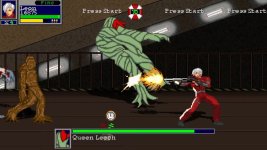
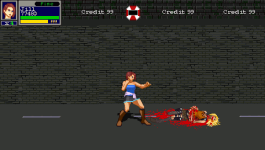
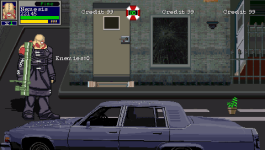
Resident Evil: Survive

In Progress Resident Evil: Survive (OPENBOR Game) 3

No permission to download
The project is currently under development.

Attack types & animation limit​

If you are receiving an error "Invalid animation name line xxx" , you need to rise the value of the max animations you use for each type. For example, if you have MAXFOLLOWS 4 and try to use FOLLOW10, you will receive that error and you need to change the MAXFOLLOWS to 10. No need to change the others if you aren't using more animations than the max value.

maxattacks {max}

  • Sets the maximum number of normal attacks animation i.e ATTACK1, ATTACK2 etc.
  • {max} is number of available animations.
  • Default is 4.

maxattacktypes {max}

  • Sets the maximum number of attack types.
  • PAIN,FALL, RISE, BLOCKPAIN and DEATH animations limit is also set together with this.
  • {max} is number of available types.
  • Default is 10 & maximum value is 99.

maxfollows {max}

  • Sets the maximum number of followup animations i.e FOLLOW1, FOLLOW2 etc.
  • {max} is number of available animations.
  • Default is 4.

maxfreespecials {max}

  • Sets the maximum number of free specials.
  • {max} is number of available free specials.
  • Default is 8.

maxidles {max}

  • Sets the maximum number of IDLEs.
  • {max} is number of available IDLEs.
  • Default is 1.

maxwalks {max}

  • Sets the maximum number of WALKs.
  • {max} is number of available WALKs.
  • Default is 1.

Change 'em to how many animations you want in models.txt for it.
 
Yeah, I understand. But I still don't see the maxattacks in your code.
It should be like this.

versusdamage 0
nodebug 1
maxfreespecials 25
maxattacks 90
maxattacktypes 90
colourselect 1
spdirection 1 1 1 1
OMG this is embarrasing! Never noticed that until now! Did this and now attack5, 6 and so on work perfectly! How stupid of me! Thank you so much!
 
HELP! What just happened here? There's no reason for player to get stucked here after enemy group is done. Honestly I freaked out. This is supposed to be the end of level and move to the next one.

Here's my txt
#raccoon_city_11_left
music data/music/ambiance.ogg

spawn1 250 40 300
spawn2 310 40 300
spawn3 270 80 300
spawn4 350 80 300

panel data/levels/escape/raccoon_city_11.gif
background data/levels/database/back.gif
frontpanel data/levels/escape/raccoon_city_11_layer.gif

wall 743 242 -225 -225 160 160 45 250
wall 2996 236 -225 -225 160 160 45 250
wall 3345 262 -269 -268 160 160 46 274

order a
direction left
setweap 4

#--group1-----

spawn Zombie
map 6
item Green_Herb
coords 620 280
at 50

spawn ZombieGirl
alias Zombie
item ammo
coords -246 312
at 150

spawn Cerberus
item ammo
coords -261 312
at 200

spawn Zombie
map 7
item Mixed_Herb
coords 655 280
at 250

wait
at 300

#--group2-----

wait
at 800

group 3 5
at 350

spawn Cerberus
item Green_Herb
coords 620 230
at 350

spawn ZombieGirl
alias Zombie
map 2
item ammo
coords -246 255
at 350

spawn Cerberus
item ammo
coords 661 230
at 400

spawn Zombie
map 9
item Mixed_Herb
coords -255 255
at 350

spawn Zombie
map 10
item Green_Herb
coords 620 230
at 350

spawn ZombieGirl
alias Zombie
map 3
item ammo
coords -246 255
at 350

spawn Cerberus
item ammo
coords 661 230
at 400

spawn Cerberus
item ammo
coords -261 230
at 400

spawn Zombie
map 13
item Mixed_Herb
coords -255 255
at 350

spawn Parasite_Zombie
item Green_Herb
coords 620 230
at 350

spawn umbrella_icon
coords -10 210
at 350

spawn raccoon_city_09_branch
coords -10 210
at 350

#--group3-----

wait
at 1300

group 3 5
at 850

spawn Zombie
map 14
item Green_Herb
coords 620 230
at 850

spawn ZombieGirl
alias Zombie
map 4
item ammo
coords -246 255
at 850

spawn Cerberus
item ammo
coords 661 230
at 900

spawn Hunter
item Mixed_Herb
coords -255 255
at 850

spawn Zombie
map 16
item Green_Herb
coords 620 230
at 850

spawn ZombieGirl
alias Zombie
map 5
item ammo
coords -246 255
at 850

spawn Cerberus
item ammo
coords 661 230
at 900

spawn Cerberus
item ammo
coords -261 230
at 900

spawn Zombie
map 6
item Mixed_Herb
coords -255 255
at 850

spawn Parasite_Zombie
map 2
item Green_Herb
coords 620 230
at 850

#--group4-----

wait
at 1800

group 3 5
at 1350

spawn Zombie
map 7
item Green_Herb
coords 620 230
at 1350

spawn ZombieGirl
alias Zombie
map 6
item ammo
coords -246 255
at 1350

spawn Cerberus
item ammo
coords 661 230
at 1400

spawn Zombie
map 9
item Mixed_Herb
coords -255 255
at 1350

spawn Crow
item Green_Herb
coords 620 230
at 1350

spawn ZombieGirl
alias Zombie
map 7
item ammo
coords -246 255
at 1350

spawn Cerberus
item ammo
coords 661 230
at 1400

spawn Crow
item ammo
coords -261 250
at 1400

spawn Zombie
map 10
item Mixed_Herb
coords -255 255
at 1350

spawn Parasite_Zombie
map 3
item Green_Herb
coords 620 230
at 1350

spawn Licker_Zombie
item Green_Herb
coords -220 250
at 1350

#--group5-----

wait
at 2250

group 3 5
at 1850

spawn Zombie
map 13
item Green_Herb
coords 620 230
at 1850

spawn ZombieGirl
alias Zombie
map 8
item ammo
coords -246 255
at 1850

spawn Cerberus
item ammo
coords 661 230
at 1900

spawn Licker
item Mixed_Herb
coords -255 255
at 1850

spawn Zombie
map 14
item Green_Herb
coords 620 230
at 1850

spawn ZombieGirl
alias Zombie
item ammo
coords -246 255
at 1850

spawn Cerberus
item ammo
coords 661 230
at 1900

spawn Hunter
item ammo
coords -261 250
at 1900

spawn Hunter_Gamma
alias Hunter
item Mixed_Herb
coords -255 255
at 1850

spawn Parasite_Zombie
map 4
item Green_Herb
coords 620 230
at 1850

spawn Licker_Zombie
map 2
item Green_Herb
coords -220 250
at 1850

#--group6-----

wait
at 2750

group 3 5
at 2300

spawn Zombie
map 16
item Green_Herb
coords 620 250
at 2350

spawn Licker
map 2
item ammo
coords -246 255
at 2350

spawn Cerberus
item ammo
coords 661 250
at 2400

spawn Zombie
map 6
item Mixed_Herb
coords -255 255
at 2350

spawn Hunter_Gamma
item Green_Herb
coords 620 250
at 2350

spawn ZombieGirl
alias Zombie
map 2
item ammo
coords -246 255
at 2350

spawn Cerberus
item ammo
coords 661 250
at 2400

spawn Drain_Deimo
item ammo
coords -261 250
at 2400

spawn Zombie
map 7
item Mixed_Herb
coords -255 255
at 2350

spawn Parasite_Zombie
map 5
item Green_Herb
coords 620 250
at 2350

spawn Licker_Zombie
map 3
item Green_Herb
coords -220 250
at 2350
 
Last edited:
HELP! What just happened here? There's no reason for player to get stucked here after enemy group is done. Honestly I freaked out. This is supposed to be the end of level and move to the next one.

Here's my txt
I don't know if it's really the cause or if there's an enemy stuck somewhere, but usually you don't need to put a "wait" in the last groups, since you already are at the end of the level.

Try to remove it and see if it solves the problem. In addition, you can check if there's an enemy remaining by putting the code below in the updated.c event.

Code:
drawstring(100, 100, 0, "Enemies: "+openborvariant("count_enemies"));
 
I don't know if it's really the cause or if there's an enemy stuck somewhere, but usually you don't need to put a "wait" in the last groups, since you already are at the end of the level.

Try to remove it and see if it solves the problem. In addition, you can check if there's an enemy remaining by putting the code below in the updated.c event.

Code:
drawstring(100, 100, 0, "Enemies: "+openborvariant("count_enemies"));
I removed the "wait" and problem is still there, checked any walls blocking enemies path and nothing, I checked all enemies coordinates and still the same. I have never seen anything like this
 
I removed the "wait" and problem is still there, checked any walls blocking enemies path and nothing, I checked all enemies coordinates and still the same. I have never seen anything like this
Try the drawstring line, then you will be able to confirm if there's an enemy remaining.
 
I noticed that your last wait is at 2750. Your game resolution is 480x272 so that means this level should be at least 2750+480= 3230 pixels long.
Check the panel length for this level, is it 3230 pixels long at least?
 
I noticed that your last wait is at 2750. Your game resolution is 480x272 so that means this level should be at least 2750+480= 3230 pixels long.
Check the panel length for this level, is it 3230 pixels long at least?
It's 3215 long

@Kratus You mean this?
drawstring(100, 100, 0, "Enemies: "+openborvariant("count_enemies"));
I'm so sorry for asking but how do i use it? I have never used the updated.c

By the way, guys, I've set 2600 for my last wait and I've noticed that after that, level stills scrolls the remaining panel like if there was more any further
Here's the panel
 

Attachments

  • raccoon_city_11.gif
    raccoon_city_11.gif
    192.7 KB · Views: 8
I'm so sorry for asking but how do i use it? I have never used the updated.c
No problem. In your updated.c just put these lines, the drawstring function must be in a "void main".

Code:
void main()
{
    drawstring(100, 100, 0, "Enemies: "+openborvariant("count_enemies"));
}

It's 3215 long
Bloodbane is right, there's something wrong with the wait/at. I downloaded your panel and it has 3215. Considering the resolution of 480x272, it means that the maximum "at" can be at 2735 and not 2750 (3215-480=2735).

However, you don't need to put a "wait" in the last group at the end of the level because the engine already stops the scrolling when reaching the end of the panel image. It's commonly used only in the middle of the level.
 
No problem. In your updated.c just put these lines, the drawstring function must be in a "void main".

Code:
void main()
{
    drawstring(100, 100, 0, "Enemies: "+openborvariant("count_enemies"));
}


Bloodbane is right, there's something wrong with the wait/at. I downloaded your panel and it has 3215. Considering the resolution of 480x272, it means that the maximum "at" can be at 2735 and not 2750 (3215-480=2735).

However, you don't need to put a "wait" in the last group at the end of the level because the engine already stops the scrolling when reaching the end of the panel image. It's commonly used only in the middle of the level.

Alright I removed the last "wait" While problem is still there i understand what you guys meant ;)

My openbor doesn't have any updated.c How can i create one? by renaming a blank notepad file as "updated.c"? Sorry if i'm asking
 
My openbor doesn't have any updated.c How can i create one? by renaming a blank notepad file as "updated.c"? Sorry if i'm asking
Save this as updated.c under data/scripts folder

C-like:
void main()
{
    if(openborvariant("in_level"))
    {   
    drawstring(100, 100, 0, "Enemies: "+openborvariant("count_enemies"));
    }

}

Also, you need to create (if you don't have one) a script.txt and add this line:
alwaysupdate 1
and save it under your DATA folder
 
I added the code and can see enemies counted. After beating all enemies level won't end. This is seriously some weird stuff. I have a couple of levels with "direction left" and this level particularily is the only one doing this. In order to solve this quickly I'll have to add a branch so players can get out of here on their own.
Resident Evil Survive - 0000.png
 
I've just checked level text again and found this:
Code:
spawn raccoon_city_09_branch
coords -10 210
at 350

I believe this is endlevel type entity. IIRC this entity could stop level from completing on its own if its still exist when all enemies have been defeated.
You could solve this by setting proper offscreenkill to that entity. You have to set proper value so it could still be spawned offscreen without killing it.
Alternatively, you could declare this at the bottom of level text:
Code:
group    1 1
at    0

spawn    ammo
@script
void main()
{
    jumptobranch("Nex",1);
}
@end_script
coords    -100 210
at    0

The group will wait until all enemies have been defeated before spawning ammo offscreen. Don't worry about the extra ammo cause the script will end the level before you could see the item. The script could be declared on any spawn but I choose an item cause it's simpler.
 
I've just checked level text again and found this:
Code:
spawn raccoon_city_09_branch
coords -10 210
at 350

I believe this is endlevel type entity. IIRC this entity could stop level from completing on its own if its still exist when all enemies have been defeated.
You could solve this by setting proper offscreenkill to that entity. You have to set proper value so it could still be spawned offscreen without killing it.
Alternatively, you could declare this at the bottom of level text:
Code:
group    1 1
at    0

spawn    ammo
@script
void main()
{
    jumptobranch("Nex",1);
}
@end_script
coords    -100 210
at    0

The group will wait until all enemies have been defeated before spawning ammo offscreen. Don't worry about the extra ammo cause the script will end the level before you could see the item. The script could be declared on any spawn but I choose an item cause it's simpler.
IT WORKED! I've set an "offscreenkill 600" for the branch and it solved the problem. I can't believe I run into simple problems like this at this point!. Guys seriously you have no idea how much it means to me all the help you bring to this project 🥹 I was feeling frustrated at this point. THANK YOU ALL! I love this community!

taylor-swift-heart-fingers-meme-aknsj2dhk7ge3cid.gif
 
Chris Monvel updated Resident Evil: Survive with a new update entry:

Resident Evil: Survive (Season 3)


FEATURES:
- New costume for Jill Valentine
- Carlos Oliveira as playable
- Nikolai Zinoviev as playable
- Mikhail Victor as special partner
- Nemesis as playable (exclusive for Patrons)
- 4 Levels based on Resident Evil 3: Nemesis
- 2 Survival levels
- New game mode: Escape
- New enemies and bosses
- New cutscene
- Character viewer updated
- Improved animation delays
- Improved combat
- Minimalist "How to Play" diagram
- New special attacks
- Graphic...

Read the rest of this update entry...
 
Chris Monvel updated Resident Evil: Survive with a new update entry:

Resident Evil: Survive (Season 3)


FEATURES:
- New costume for Jill Valentine
- Carlos Oliveira as playable
- Nikolai Zinoviev as playable
- Mikhail Victor as special partner
- Nemesis as playable (exclusive for Patrons)
- 4 Levels based on Resident Evil 3: Nemesis
- 2 Survival levels
- New game mode: Escape
- New enemies and bosses
- New cutscene
- Character viewer updated
- Improved animation delays
- Improved combat
- Minimalist "How to Play" diagram
- New special attacks
- Graphic...

Read the rest of this update entry...
 
Back
Top Bottom