Piccolo
Well-known member
And the zratio is working, take a look:
Great
Lol no problem actually that's how the app improvesAnd sorry for being a pain![]()
And the zratio is working, take a look:
Lol no problem actually that's how the app improvesAnd sorry for being a pain![]()
I don't think so, its just cosmeticI don't know if it's really necessary to add support for them.
Seems better indeed. I can at least make this an option, enabled by default, just in case.Also one thing - when we have offset set on frame3 as 100 200 and then we go to frame 5 and we want to adjust offset by scrolling mouse wheel when on offset X or Y box on top right then we should start from offset 100 200 and not from offset 0 0 , this will make things a lot faster too.
We rarrely need offset 0,0 if ever but we often need to adjust offset in small increments from last used offset.
ENTITY EDITOR
- When adjusting offset values on a frame with no offset values, default values will now be the offset values of previous frame with an offset set (instead of 0 0 as before)
- Onion Skin : added an arrow button to the right of onion skin button to change mode. Now you can switch between classic mode, semi-transparent overlay, opaque overlay, and fully transparent overlay.
WARNING : switching between mode will not toggle the onion skin/overlay. You...
Entity editor
- Added another way to setup Onion skin. This one is based on the binding GUI. To access it, in animation editor, on the right panel there is now another inner-tab (Onion skin), next to Bindings. It basically works the same as the binding GUI.
But I think this was working like this since some versions back already. I used this few days ago - selecting the last frame and using it as a onion skin.Onion skin from selectable animation/frame would be a really nice time saver.
Yep now it's mostly the GUI that is different, and more practical for certain purposes.But I think this was working like this since some versions back already. I used this few days ago - selecting the last frame and using it as a onion skin.
No problem, it was part of the things that were a bit hidden and worked in a non-obvious way, the reworked version is a lot more intuitive.@O Ilusionista, @Piccolo,
Sorry guys, I should have done a better job of deep diving the interface. It's a huge pet peeve of mine when people beg for existing functionality, and now I'm guilty of it!
DC

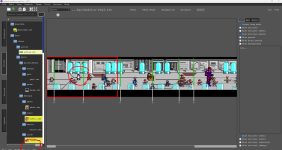
It is supposed to work like that, it's negative only for the area before the first wait. But maybe it doesn't work properly with some levels, I'll check with other levels to see@Piccolo hey buddy, I am testing the new version and it looks great.
I saw that you added my suggestion about the Wait position, but it's working on a reverse way - it shows the distance from the NEXT wait (hance why you see -35).
In fact, this should should display the cursor distance from the PREVIOUS wait, so we can have a visual clue of the right distance from the left edge of the screen
- Level Editor : fixed a bug with wait distance calculation (lower left corner) @O Ilusionista
Menu bar -> Edit -> Settings -> Editor -> Color for highlighted lineCan we change default highlight color ? the cyan bg makes very hard to read black text
I dare anyone to read that
View attachment 5932
Can we just make it red cause it just works ?
anim freespecial10
loop 0
offset 86 256
bbox 59 25 75 232
delay 3
fastattack 1
forcedirection -1
attack 0 0 0 0 0 0 0 0 0 0
dropv 5.0 12.0
frame data/chars/heman/p_k_1.gif
sound data/chars/heman/kick.wav
frame data/chars/heman/p_k_2.gif
delay 5
frame data/chars/heman/p_k_3.gif
hitfx data/sounds/beat2.wav
blast 41 19 227 251 20 970 1 0 0 60
attack 0 0 0 0 0 0 0 0 0 50
dropv 3.0 9.0
frame data/chars/heman/p_k_4.gif
blast 0 0 0 0 0 0 0
frame data/chars/heman/p_k_5.gif
frame data/chars/heman/p_k_4.gif
frame data/chars/heman/p_k_5.gif
frame data/chars/heman/p_k_4.gif
frame data/chars/heman/p_k_6.gif
delay 7
frame data/chars/heman/p_k_7.gif
frame data/chars/heman/p_k_8.gif
frame data/chars/heman/p_k_9.gif