Solved Problem with "super" effect

Question that is answered or resolved.

Matute2175

New member
Hello friends, is everything ok? I wanted to ask you how I can make the effect of a freespecial last the same as the special itself.
Here the command "flashscnuevo" invokes an effect on the screen that I would like to last until the end of this freespecial. I try to make them synchronized, it is the typical background super effect

anim freespecial5
energycost 100
mponly 1
jugglecost 0
fastattack 1
hitfx data/sounds/beat3.wav
loop 0
offset 36 100
bbox 0 0 0 0
@cmd spawn02 "flashscnuevo" -10 200 190 <<<<< this is effect>>>>>>>>
sound data/chars/players/cody/free5.wav
delay 4
frame data/chars/players/cody/a01.png
offset 33 99
attack2 24 13 88 31 0 0 1 0 10 15
dropv 2.25 0
delay 2
sound data/sounds/lanzarse.wav
@cmd projectile 1 "quake" 0 0 0
move 10
@cmd projectile 1 "dust03" 0 0 0
frame data/chars/players/cody/a02.png
offset 33 99
frame data/chars/players/cody/a02.png
move 9
frame data/chars/players/cody/a02.png
@cmd projectile 1 "dust03" 0 0 0
move 6
frame data/chars/players/cody/a02.png
move 5
frame data/chars/players/cody/a02.png
@cmd projectile 1 "dust03" 0 0 0
move 4
frame data/chars/players/cody/a02.png
@cmd projectile 1 "dust03" 0 0 0
@cmd projectile 1 "quake" 0 0 0
offset 36 100
move 0
delay 4
attack 0 0 0 0 0 0 0 0 0 0
frame data/chars/players/cody/a01.png
offset 36 100
delay 4
frame data/chars/players/cody/a01.png


The problem is that flashscnuevo ends before the special, and each character has a different freespecial, so they don't all last the same time, and I wanted to create something that works for all players.
 
Solution
You don't have to worry about that anymore. You should use these functions:
C:
void summon(void Name, float dx, float dy, float dz, void Slot, int Flag)
{ // Spawns certain entity and store it in defined slot
// Won't spawn anything if last spaned entity still exists and alive
    void self = getlocalvar("self");
    void Sum = getentityvar(self, Slot);
    void Spawn;

    if(Sum){
      int SHP = getentityproperty(Sum,"health");
      int SEx = getentityproperty(Sum,"exists");

      if(SHP<=0 || SEx==0){
        Sum = NULL();
      }
    }

    if(Sum==NULL()){
      if(Flag==1){
        Spawn = spawn02(Name, dx, dy, dz);
      } else {
        Spawn = spawn01(Name, dx, dy, dz);
      }

      setentityvar(self, Slot, Spawn)...
I am not skilled on scripts, but maybe with the summon / summonkill feature might work as you might have the thing alive and you kill it on your character's last frame of his special move.
 
@Matute2175 : is this flashscnuevo looping forever? if not, it would be hard to make play longer than it usually is.

Since you're using script, you'd need to use modified spawn script to spawn the effect and remove it later.
 
You'll have to play around with the flashscnuevo animation itself if timing is the issue, either add more delay or add more frames of animation or both,

you could use a slowmotion script on flashscnuevo, it varies depending on how soon it finishes before the characters special, if you want the effect looping etc, a video example of your problem would be good.
 
C-like:
anim freespecial5
energycost 100
mponly 1
jugglecost 0
fastattack 1
hitfx data/sounds/beat3.wav
loop 0
offset 36 100
bbox 0 0 0 0
custentity    flashscnuevo
summonframe    this 480 276 0 1
sound data/chars/players/cody/free5.wav
delay 4
frame data/chars/players/cody/a01.png
offset 33 99
attack2 24 13 88 31 0 0 1 0 10 15
dropv 2.25 0
delay 2
sound data/sounds/lanzarse.wav
@cmd projectile 1 "quake" 0 0 0
move 10
@cmd projectile 1 "dust03" 0 0 0
frame data/chars/players/cody/a02.png
offset 33 99
frame data/chars/players/cody/a02.png
move 9
frame data/chars/players/cody/a02.png
@cmd projectile 1 "dust03" 0 0 0
move 6
frame data/chars/players/cody/a02.png
move 5
frame data/chars/players/cody/a02.png
@cmd projectile 1 "dust03" 0 0 0
move 4
frame data/chars/players/cody/a02.png
@cmd projectile 1 "dust03" 0 0 0
@cmd projectile 1 "quake" 0 0 0
offset 36 100
move 0
delay 4
attack 0 0 0 0 0 0 0 0 0 0
frame data/chars/players/cody/a01.png
offset 36 100
delay 4
unsummonframe    this
frame data/chars/players/cody/a01.png
Try this, if the sprite is always in anim freespecial5, flashscnuevo will always exist
 
You'll have to play around with the flashscnuevo animation itself if timing is the issue, either add more delay or add more frames of animation or both,

you could use a slowmotion script on flashscnuevo, it varies depending on how soon it finishes before the characters special, if you want the effect looping etc, a video example of your problem would be good.
Thanks to all, guys, in the end what I have done is this, to make the duration match by adjusting the exact delay in both freespecial5 and flashscnuevo, putting the same delay in both. The bad thing is that I have to do it with all the player´s supers, because they are all different 😆
 
The bad thing is that I have to do it with all the player´s supers, because they are all different

You don't have to worry about that anymore. You should use these functions:
C:
void summon(void Name, float dx, float dy, float dz, void Slot, int Flag)
{ // Spawns certain entity and store it in defined slot
// Won't spawn anything if last spaned entity still exists and alive
    void self = getlocalvar("self");
    void Sum = getentityvar(self, Slot);
    void Spawn;

    if(Sum){
      int SHP = getentityproperty(Sum,"health");
      int SEx = getentityproperty(Sum,"exists");

      if(SHP<=0 || SEx==0){
        Sum = NULL();
      }
    }

    if(Sum==NULL()){
      if(Flag==1){
        Spawn = spawn02(Name, dx, dy, dz);
      } else {
        Spawn = spawn01(Name, dx, dy, dz);
      }

      setentityvar(self, Slot, Spawn);
    }
}

void killSummon(void Slot, int Flag)
{ // Kill summoned entity based on defined slot
    void self = getlocalvar("self");
    void Sum = getentityvar(self, Slot);

    if(Sum){
      setentityvar(self, Slot, NULL());

      if(Flag==1){
        damageentity(Sum, self, 1000, 0, openborconstant("ATK_NORMAL"));
      } else {
        killentity(Sum);
      }
    }
}

summon function calls spawn01 and spawn02 function but I believe you already have both. Oh copy and save this in spawn.h .

The idea is the Super effect is looping and doesn't have lifespan.
Example:
Code:
anim freespecial
    delay    6
    offset    200 250
    energycost 50
    mponly    1
    bbox    150 150 50 100
    frame    data/chars/hero/frame1.png
    @cmd    summon "Super" 0 0 0 "S1" 1
    frame    data/chars/hero/frame2.png
...
    @cmd    killSummon "S1" 0
    frame    data/chars/hero/frame30.png

When this animation is performed, Super is spawned relative to screen and it will keep playing until hero removes it at the end of his/her animation.
In case, hero might be interrupted before finishing this animation, declare killSummon "S1" 0 in his/her PAIN and FALL animations also. Or in takedamagescript, if he/she is using any.
 
You don't have to worry about that anymore. You should use these functions:
C:
void summon(void Name, float dx, float dy, float dz, void Slot, int Flag)
{ // Spawns certain entity and store it in defined slot
// Won't spawn anything if last spaned entity still exists and alive
    void self = getlocalvar("self");
    void Sum = getentityvar(self, Slot);
    void Spawn;

    if(Sum){
      int SHP = getentityproperty(Sum,"health");
      int SEx = getentityproperty(Sum,"exists");

      if(SHP<=0 || SEx==0){
        Sum = NULL();
      }
    }

    if(Sum==NULL()){
      if(Flag==1){
        Spawn = spawn02(Name, dx, dy, dz);
      } else {
        Spawn = spawn01(Name, dx, dy, dz);
      }

      setentityvar(self, Slot, Spawn);
    }
}

void killSummon(void Slot, int Flag)
{ // Kill summoned entity based on defined slot
    void self = getlocalvar("self");
    void Sum = getentityvar(self, Slot);

    if(Sum){
      setentityvar(self, Slot, NULL());

      if(Flag==1){
        damageentity(Sum, self, 1000, 0, openborconstant("ATK_NORMAL"));
      } else {
        killentity(Sum);
      }
    }
}

summon function calls spawn01 and spawn02 function but I believe you already have both. Oh copy and save this in spawn.h .

The idea is the Super effect is looping and doesn't have lifespan.
Example:
Code:
anim freespecial
    delay    6
    offset    200 250
    energycost 50
    mponly    1
    bbox    150 150 50 100
    frame    data/chars/hero/frame1.png
    @cmd    summon "Super" 0 0 0 "S1" 1
    frame    data/chars/hero/frame2.png
...
    @cmd    killSummon "S1" 0
    frame    data/chars/hero/frame30.png

When this animation is performed, Super is spawned relative to screen and it will keep playing until hero removes it at the end of his/her animation.
In case, hero might be interrupted before finishing this animation, declare killSummon "S1" 0 in his/her PAIN and FALL animations also. Or in takedamagescript, if he/she is using any.
Thank you very much, I just tried it and it works perfectly, this same function works for all players!!! I owe you a beer @

Bloodbane

😁
 
Solution
It works perfectly,

@Bloodbane

but when I go much further on the screen, the effect of the super only appears from the beginning of the screen, instead of being relative to the left edge where the characters are at that moment, I don't know if I'm explaining myself correctly.
how could i solve it? Thanks in advance
 
the effect of the super only appears from the beginning of the screen, instead of being relative to the left edge where the characters are at that moment,

Is your super effect panel type?
If you're using panel type with speed 10 for the effect, it will move together with the screen. Like this:
Code:
name        Super
type        panel
speed        10
setlayer    -2
 
Is your super effect panel type?
If you're using panel type with speed 10 for the effect, it will move together with the screen. Like this:
Code:
name        Super
type        panel
speed        10
setlayer    -2

Bloodbane

I've tried that and it doesn't work either...
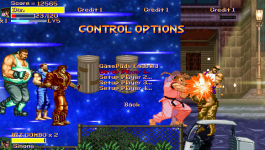
This is a picture of the effect (the blue background on the left), it's like the one in marvel vs street fighter game.
It only looks good at the beginning of the stage. If you scroll on the stage, the effect is not seen

Code:
name    flashcody1
type    panel
scroll   1
shadow    0
facing  1
speed        10
setlayer    -2
subject_to_gravity 0

  palette none

anim idle
     loop      1
delay     2
     offset    1 1
         quakeframe 1 10 10
     frame     data/chars/misc/flash/flash/sf/0_6032-0.png
     frame     data/chars/misc/flash/flash/sf/0_6032-1.png
     frame     data/chars/misc/flash/flash/sf/0_6032-2.png
     frame     data/chars/misc/flash/flash/sf/0_6032-3.png
     frame     data/chars/misc/flash/flash/sf/0_6032-4.png
     frame     data/chars/misc/flash/flash/sf/0_6032-5.png
     frame     data/chars/misc/flash/flash/sf/0_6032-6.png
screenshot.png
 
Back
Top Bottom