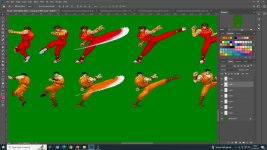
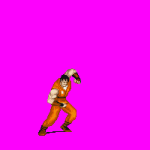
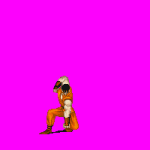
Street fighter 89

In Progress Street Fighter 89 The Final Fight by Machok v3.8.3

No permission to download
The project is currently under development.
Happens I am a former FGC player and have a vast experience on fighting games overall due to my tournaments assistance through the years.
Keep in mind this is SNES FF Guy, so you would have to recreate some of his animations I guess. Hope it helps!
Oh my goodness these sprites of Guy look so awesome! Would it be cool the street fighter alpha 3 sprites of both Rolento, Sodom, and Poison were converted using that same method. Which program did you use to make them Mr. Q?
 
Oh my goodness these sprites of Guy look so awesome! Would it be cool the street fighter alpha 3 sprites of both Rolento, Sodom, and Poison were converted using that same method. Which program did you use to make them Mr. Q?
I made them all by myself with Win98 MS Paint, just using my eyes, other characters sprite sheets, watching YT videos from other characters and the franken sprite edit skills, no joke.
 
I made them all by myself with Win98 MS Paint, just using my eyes, other characters sprite sheets, watching YT videos from other characters and the franken sprite edit skills, no joke.
You're amazing at what you do Mr. Q, that's why I have a great deal of respect for you when it comes to the epic projects you put out there. I look forward to see more great content that you're able to cook up next. 😊👍
 
Good job to both of you guys ! @machok and @Mr.Q!
The air grab for Guy is almost perfect here. I cannot see eroors or things to fix from a first view!

I'm really glad Mr Q! 's work can be used as a base for this project.

I like when people can exchange content instead of just making almost the same hardwork and having it taking twice the time.

I'"m hyped for both your projects, guys!
 
CPS1 Guy is a much better design overall IMO.

I love Akiman works, almost every character his made is very memorable
as far as I remember the one of member here are also able to make exactly like Akiman, @Yotatouch
Nice job on the back port @machok!

DC
🤗

Good work! :)
He did his own way by frankenspriting, so what you can do is to edit the sprites your own way. I think that depends on what graphic style you love. Don't worry about sprite conversion for his unique edits. (Edit your way that you feel is easy for you.)

Stay motivated, my friend.
🤗 I am very motivated

Happens I am a former FGC player and have a vast experience on fighting games overall due to my tournaments assistance through the years.
Keep in mind this is SNES FF Guy, so you would have to recreate some of his animations I guess. Hope it helps!
Thank you so much it's a great help 😘

Good job to both of you guys ! @machok and @Mr.Q!
The air grab for Guy is almost perfect here. I cannot see eroors or things to fix from a first view!
🥰

I'm really glad Mr Q! 's work can be used as a base for this project.
I like when people can exchange content instead of just making almost the same hardwork and having it taking twice the time.
I'"m hyped for both your projects, guys!

I have manage to made one more new animation today (grabup anim), here:


@Kratus how he make air grab while doing jumpattack / jumpforward like your SORX Blaze and Skate? I tried to modified my keyscript but failed to get the same result o_O
I know you're very busy right now so please take your time :)
 
@machok
I love your work, but I noticed something in your last video that had me concerned: the tendency to have enemies on screen like a beach ball.

Notice how long the enemy stays in the same frame of animation during the fall animation. I know there are people who like it, but for me it lowers the quality of the entire game in a way that I don't feel like playing it :(

This is something that has seen quite a few beat em ups, especially those done with OpenBOR. It doesn't matter if the combo is big, it matters that it gets weird.

A suggestion: include the frame of the pain in the fall, as the first frame. So, every time he takes damage, he changes his frame. Otherwise, it looks like you're hitting a log of wood or a beach ball.

Please don't get me wrong. I love your work - or I wouldn't spend my time giving you feedback :)
 
@machok
I love your work, but I noticed something in your last video that had me concerned: the tendency to have enemies on screen like a beach ball.

Notice how long the enemy stays in the same frame of animation during the fall animation. I know there are people who like it, but for me it lowers the quality of the entire game in a way that I don't feel like playing it :(

Me too I don't like when every hits on enemy always using the same fall animation all the time
so I already have 25 differents fall anim and 20 pain anims to covering this so far (for testing),
but when they are attacked in the air, they still seem to use the same fall I will look into this further.
This is something that has seen quite a few beat em ups, especially those done with OpenBOR. It doesn't matter if the combo is big, it matters that it gets weird.

A suggestion: include the frame of the pain in the fall, as the first frame. So, every time he takes damage, he changes his frame. Otherwise, it looks like you're hitting a log of wood or a beach ball.

Please don't get me wrong. I love your work - or I wouldn't spend my time giving you feedback :)
I'll test it and choose which one looks better, thank you so much Ilu I really appreciate your feedback
 
@Kratus how he make air grab while doing jumpattack / jumpforward like your SORX Blaze and Skate? I tried to modified my keyscript but failed to get the same result o_O
In SORX I'm using a key script that detects the back attack inputs and only performs the aerial grab if the target is within a defined range.

But I only used this way because all my jump attacks are used. In your case, if you are not using the jumpattack3 you may use this one to trigger a follow animation through the "followcond" and then perform the aerial grab (or make it through the didhit event too as an alternative).
 
Me too I don't like when every hits on enemy always using the same fall animation all the time
so I already have 25 differents fall anim and 20 pain anims to covering this so far (for testing),
but when they are attacked in the air, they still seem to use the same fall I will look into this further.

I'll test it and choose which one looks better, thank you so much Ilu I really appreciate your feedback
Yes, and the real difficulty about what Ilu talks about is to avoid using a too "different" pose for this exact first frame of animation.
(and since these classic games have limited number of get hit sprites...)
 
In SORX I'm using a key script that detects the back attack inputs and only performs the aerial grab if the target is within a defined range.

But I only used this way because all my jump attacks are used. In your case, if you are not using the jumpattack3 you may use this one to trigger a follow animation through the "followcond" and then perform the aerial grab (or make it through the didhit event too as an alternative).
Guys, we have perfect air grab now thanks to @Kratus 🤗

This is really looking beautiful, love them updates
Yes, and the real difficulty about what Ilu talks about is to avoid using a too "different" pose for this exact first frame of animation.
(and since these classic games have limited number of get hit sprites...)

Here I have new sprite animation for counter attack, 7 frames in total but I only make 5 of them (2 already available from the original)
guy_counterkick.jpg
Yeah the move based on alpha series so it's really hard to make them but with hard work I've managed to do it :coffee:
going to tried it in the game tonight or tomorrow
 
It's very good!

3 things came to my mind.
-looks like he have the begining of shadow at his foot. (intentional ?) in this move Guy should not really "touch the ground"

I'll talk about frame 4(and frame 3 too for some points.)
-his "support leg" should be a bit more straight (for dynamism of the attack)

I noticed for frame 3 you used the reference of SFA for the kicking leg (upper orange area) outline. (it looks good.)
-> the same area in frame 4 is a bit strange in term of pixel (I'm only talking of "outline")
You caud definitely use a bit more the reference of SFA as a guide to draw the outline of this leg in frame 4.
(I can see you used it, but not completely)

Beside of these points that can be upgraded. This is absolutely great!

I'm curious, do you draw with the mouse ? Seems like you can work faster now !
 
It's very good!

3 things came to my mind.
-looks like he have the begining of shadow at his foot. (intentional ?) in this move Guy should not really "touch the ground"
😘
Still not sure about the shadow, haven't test them in the game. I usually watch the original moves from youtube while setting the offset-delay and everything

I'll talk about frame 4(and frame 3 too for some points.)
-his "support leg" should be a bit more straight (for dynamism of the attack)
I don't know if I can fix this Ned, remember I am not drawing them. I copy-paste from original source to make a new move
if there's no available on original sprites (like these frames for example) then I can't do much. Cody also suffer the same thing
of corse I usually will fixed and clean them a bit later :)
I noticed for frame 3 you used the reference of SFA for the kicking leg (upper orange area) outline. (it looks good.)
-> the same area in frame 4 is a bit strange in term of pixel (I'm only talking of "outline")
You caud definitely use a bit more the reference of SFA as a guide to draw the outline of this leg in frame 4.
(I can see you used it, but not completely)
exactly what you said, keen observation
I have SFA layer behind it, will clean it later. that leg It's actually copy paste and rotate, so you know how broken this methode for sprite right 🤭

Beside of these points that can be upgraded. This is absolutely great!

I'm curious, do you draw with the mouse ? Seems like you can work faster now !
Yes standard logitech mouse, maybe I'm just getting used to it think I've been editing sprites for months now? 🤔
 
  • Like
Reactions: NED
Update Progress

Guy new animation test2
-new jumpattack3
-new air grab thanks to @Kratus
-new counter attack
-new grabdown
now I can sleep 😁
@Bloodbane does Slamstart limited by the number of frames or delay? I mean if I have a lot of frames it seems I can only get a short delay in this case is 9, if I put more than 9 (eg 10 and above), then the enemy will rise before the slamstart ends. I want at leat to get delay 12. Is there a trick to get what I want?
 
does Slamstart limited by the number of frames or delay? I mean if I have a lot of frames it seems I can only get a short delay in this case is 9, if I put more than 9 (eg 10 and above), then the enemy will rise before the slamstart ends. I want at leat to get delay 12. Is there a trick to get what I want?

slamstart was meant to start slam and it should immediately be followed by position function. I could suggest tossing enemy higher in slamstart function but I have to wonder why you have to delay positioning enemy after starting the slam.
 
slamstart was meant to start slam and it should immediately be followed by position function. I could suggest tossing enemy higher in slamstart function but I have to wonder why you have to delay positioning enemy after starting the slam.

This particular move does not perform a throw/tossing. This is the move I'm referring to:
grab6.gif grab7.gif
It's punching the enemy 3 times (you can watch my youtube video above so can be more clearer)
C:
anim    grabdown
    attackone    1
    loop    0
    loop    0
    offset    82 177
    bbox    0 0 0 0
    sound    data/chars/guy/guy01.wav
    @cmd    slamstart
    delay    9
    @cmd    position 20 5 0 1 1
    frame    data/chars/guy/grab2.gif
    @cmd    flip       
    offset    82 177
    @cmd    position 20 33 0 1 -1
    frame    data/chars/guy/grab.gif
    offset    82 177       
    @cmd    position 20 23 0 1 1
    frame    data/chars/guy/grab3.gif
    @cmd    flip
    attack    0 0 0 0 0 0 0 0
    @cmd    position 3 12 -80 1 1       
    frame    data/chars/guy/grab4.gif
    @cmd    position 18 0 -5 1 1       
    frame    data/chars/guy/grab5.gif
    @cmd    position 21 20 0 1 1
    offset    82 177       
    frame    data/chars/guy/grab6.gif
    sound    data/sounds/beat1.wav       
    @cmd    position 21 20 0 1 1
    @cmd    spawn01 "flash" 8 25 0
    frame    data/chars/guy/grab7.gif
    @cmd    flip       
    offset    92 177
    @cmd    position 18 0 -5 1 -1
    frame    data/chars/guy/grab8R.gif       
    offset    92 177
    @cmd    position 21 -20 0 1 -1
    frame    data/chars/guy/grab8R.gif
    @cmd    flip
    sound    data/sounds/beat1.wav
    offset    83 179
    @cmd    position 21 20 0 1 1
    @cmd    spawn01 "flash" 8 25 0
    frame    data/chars/guy/grab7R.gif       
    @cmd    position 18 0 -5 1 1
    frame    data/chars/guy/grab6.gif       
    @cmd    position 21 20 0 1 1
    frame    data/chars/guy/grab6.gif
    sound    data/sounds/beat1.wav
    @cmd    position 21 20 0 1 1
    @cmd    spawn01 "flash" 8 25 0
    frame    data/chars/guy/grab7.gif       
    @cmd    position 18 0 -5 1 1
    frame    data/chars/guy/grab9.gif
    @cmd    position 21 20 0 1 1
    frame    data/chars/guy/grab9.gif
    offset    82 177
    @cmd    position 21 20 0 1 1
    frame    data/chars/guy/idle.gif
    @cmd    depost 0
    @cmd    slammed2 33
    @cmd    clearL
    offset    82 177
    delay    1
    frame    data/chars/guy/idle.gif
as you can see I use so many frames there. I need higher delay so that when Guy hits an enemy it can be slower
 
  • Like
Reactions: NED
@machok Try setting the "Y" to 1 or 2 in all @cmd position that have the height of zero. Once the slamstart works using a "falling" instance, if the grabbed opponent reaches the ground he will try to rise and react before the grab animation ends.
+1
Yes, I would definitely do that. @machok
I remember the binding of opponent at 0 or under 0 can generate problems.

And visually, putting them at 2 or even 3 would not be that visible ^^

My other method was to cheat with the offset of enemy, so he still looks like he's on the ground, but actually he's higher.
but require more gethit custom sprites.
(I think it's not needed)
 
@machok Try setting the "Y" to 1 or 2 in all @cmd position that have the height of zero. Once the slamstart works using a "falling" instance, if the grabbed opponent reaches the ground he will try to rise and react before the grab animation ends.
+1
Yes, I would definitely do that. @machok
I remember the binding of opponent at 0 or under 0 can generate problems.

And visually, putting them at 2 or even 3 would not be that visible ^^

My other method was to cheat with the offset of enemy, so he still looks like he's on the ground, but actually he's higher.
but require more gethit custom sprites.
(I think it's not needed)
I use (Y= 0) and (z= 1) on cmd position because I wanted enemy always on front of player during slamstart but yeah this is still quick test
Thank you guys will try it asap
 
Back
Top Bottom