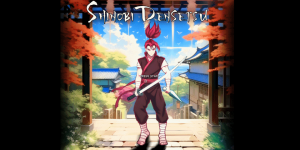
Canceled [ORIGINAL] Shinobi Densetsu (HELP NEEDED!)

Project is halted prior to completion and will not receive further updates.
I do have a couple questions, since I'm gonna have to do a lot myself

1. I set a freespecial to be a double jump. that part works, but the player loses any movement control until landing. how could I implement controlled jumps, both in height and movement? FIXED

2. I'd like to give the player the possibility to pick up ammo for different projectiles, along with a lock-on button that directs the shot to the target. I'd need a subsystem to keep track of ammo for various weapons, lock-on, and spawning (or not) the selected model.

I'm not asking you to do any work for me, but maybe you can point me in the right direction... commands, scripts, methods... or just to make some sense out of all the information available
 
Last edited:
For some of the extra moves you want in the game, try the Help & Resources. I try to do most of the stuff I have in my game with the less script that I can, but that's just me, I'm old dinosaur that's all. Scripting gives you so many powerful features, and this engine is such a great thing to exists for the less skilled like myself, and still get the job done. I almost never use the tools for the engine since they need a lot of polish, but I trust the engine itself, it's great, I've been doing games for more than 13 years.

I have lost interest in this engine because of the buggy tools and poor documentation. I don't mean this in an offensive manner towards the creators, it's just that when I compare it to other experiences with commercial and open source products, I have a lot more trouble to get my ideas working here.

I do find this kinda rude. You can't compare this engine to other commercial ones, this one is 100% free and people have done amazing jobs with it, just have a little more of what we all have here, patience. There are also really skilled peeps here you can ask for your needs, just don't expect to find someone to code everything for you just now, most of the dudes here are doing their own projects, but sure they can lend you a hand on things.
 
Last edited:
1. I set a freespecial to be a double jump. that part works, but the player loses any movement control until landing. how could I implement controlled jumps, both in height and movement?
That was the common behaviour in V3. To bypass it, you would need to use script to store the current speed then applying it again.
If I am not mistaken, this was changed in V4.

2. I'd like to give the player the possibility to pick up ammo for different projectiles, along with a lock-on button that directs the shot to the target. I'd need a subsystem to keep track of ammo for various weapons, lock-on, and spawning (or not) the selected model.
Yeah, you will really need script for that. The shoot to target part isn't complicated, but the other one could be tricky.
I think @Bloodbane made something like that in one of his games.

I do find this kinda rude.
Honestly, me too. But then people realize there is no perfect engine ;)
And many simple and easy things in OpenBOR are a nightmare to do in some other engines.
 
  • Like
Reactions: kzr
For some of the extra moves you want in the game, try the Help & Resources. I try to do most of the stuff I have in my game with the less script that I can, but that's just me, I'm old dinosaour that's all. Scripting gives you so many powerful features, and this engine is such a great thing to exists for the less skilled like myself, and still get the job done. I almost never use the tools for the engine since they need a lot of polish, but I trust the engine itself, it's great, I've been doing games for more than 13 years.


I do find this kinda rude. You can't compare this engine to other commercial ones, this one is 100% free and people have done amazing jobs with it, just have a little more of what we all have here, patience. There are also really skilled peeps here you can ask for your needs, just don't expect to find someone to code everything fro you just now, most of the dudes here are doing their own projects, but sure they can lend you a hand on things.
hey easy now, as you can see I'm trying to work with it and to be more social here. to be totally honest with you I misjudged the engine's capabilities and didn't ask for any relevant help so in the end I played myself and blamed anything else other than my own incompetence 💩

in the 5 or 6 years I was away a lot has changed and I realized that a lot of my frustration came from refusing to ask for help.

again, I'm sorry if I sounded rude or angry because I really value what you guys built here.
In fact if @Die_In_Fire never asked about the project a few days ago I would probably just have abandoned completely so I really have more to thank for than to complain about :)


I will use whatever free time I have this weekend to look into your implementation suggestions @Mr.Q! @O Ilusionista
 
Last edited:
how could I implement controlled jumps, both in height and movement?

That's why I use keyscript to create double jump. Every character in Castlevania Collab use keyscript for their double jump.

I'd like to give the player the possibility to pick up ammo for different projectiles, along with a lock-on button that directs the shot to the target.

Shooting system using different projectiles is not simple especially with ammo counter for each. The lock-on mechanic will require script to pick target and to actually aim the shot there.
The closest that I've shared is Elf's multiple arrows from Map++++ , even so currently only the second arrow has ammo. And no lock on mechanic.
 
thought it's probably a good idea to give everyone a walk cycle. the transparency messed up the eyes and there are some errors but the motion and shading seem to be falling in place. 6 frames, palette not optimized. target is 16 colors.

playable character

hitomi, wields two sai which she can use to climb walls and move across ceilings.

fighting style: open to ideas

suggest me sprites from other games, the base of this walk cycle came from Alisia Dragoon but as you can see there's no direct edit or recycling parts.
1000080137.gif
 
I was reading the wiki and looking in the options trying to figure out how to set up resolutions but I only find the ones hard coded in the engine.

I'm looking for widescreen resolution. usually I go for 960x480 16:8 / 2:1 ratio and use no scaling.
I can compromise with resolution/ratio limitations but I would love to be able to use all the pixels on screen and not just a scaled up fraction.

is this somehow possible or should I suggest this in the engine topic?


SOLVED
 
Last edited:
I'm not sure I understand, you can create customisable resolutions, I've used as big as 1920x1080 and as little as 42x60

are you sing video.txt correctly?
 
@kzr,

As @danno mentioned, the engine has supported custom resolutions for over 10 years. Just dial in what you want as follows in video.txt
Code:
video <horizontal>X<vertical>

#example
#video 1080X720

Of course it's up to you to use something that makes sense, but the option is there.

It seems you have an overall misunderstanding of OpenBOR graphics. I recommend you read this as a primer. It will give you a better basis of what you can do and specific questions to ask:


DC
 
Last edited:
I was browsing the wiki and found this


which didn't really answer my question. I haven't looked into any files, I'm just reading stuff on my phone while I'm away and trying to make sense of it

so @danno you are saying I can add custom resolutions by simply editing that file? and it's not upscaled?

edit:
@DCurrent answered my question while I was writing this. thank you guys, will look into it soon
 
which didn't really answer my question
True, that article is not strictly a how to. It's (as the title implies) a basic overview and primer. The short of it is when it comes to prerendered assets (i.e. sprites), we do everything the other guys do... and then some. Then a little more after that. :)


and it's not upscaled?
Yep. By design it's just a bigger sandbox, nothing more. Looks pretty funny if you dial up a high resolution on existing games.

There are plenty of scaling options too though.

DC
 
  • Like
Reactions: kzr
@kzr,

Do note, it really is just a bigger sandbox - the rest is up to you. Some behaviors adapt to the resolution, like vertical position of enemy drop ins (they default as just out of the defined vertical space), but most defaults are designed around 320*240 (ex. default range for AI to trigger attacks, jumps, etc.). You'll need to make the adjustments to suit your project.

DC
 
  • Like
Reactions: kzr
awesome!
@kzr,

Do note, it really is just a bigger sandbox - the rest is up to you. Some behaviors adapt to the resolution, like vertical position of enemy drop ins (they default as just out of the defined vertical space), but most defaults are designed around 320*240 (ex. default range for AI to trigger attacks, jumps, etc.). You'll need to make the adjustments to suit your project.

DC
yeah I figured some things would need adjustments like UI elements and AI ranges but that shouldn't be a problem.

I have most UI graphics ready to be set up but it all depends on how many features I can implement, and since I'm still learning I'm going to postpone all advanced features and start with a simple arcade game with good core mechanics. what I have so far was built upon the demo game, it's probably best to restart from the ground up to make better use of the engine
 
the new title screen in custom resolution is looking great imoimage_2024-02-01_172200209.png

but is it possible to use a level as one of the predefined background images or a loading screen? that would allow us to separate image elements and treat them separately, using more than 256 colors total, animations, effects, parallax scrolling etc. I know we can play videos and animations but I prefer in-engine cutscenes and would treat titles/menus as such. Sonic title screens come to mind as an example

also, an example of an old menu level concept in a different engine. the game skips the default menu completely and loads a crude menu made inside a level, which controls some important game variables .


I also wonder how feasible it is to give each playable character their own stage progression and to remake the clock system. in-game time shouldn't be a problem, but I couldn't find any functions or commands to access system time.

gonna try and get the whole UI done and adjusted before moving on to such big things, but they definitely boost the presentation a lot and anything I can know in advance before diving in would be most helpful
 
but is it possible to use a level as one of the predefined background images or a loading screen?
Err huh? Not 100% sure at what you're asking for. Use a level as a level loading screen? Technically yes, but it would be a convoluted mess of code that if you had to ask about to begin with, you don't have a chance of putting together at your current skill level. I think functionally what you want is better achieved through drawsprite and subscreens, pasting images to a subscreen and then drawing it during the load process.

also, an example of an old menu level concept in a different engine. the game skips the default menu completely and loads a crude menu made inside a level, which controls some important game variables .

Yes, you can do this. OpenBOR doesn't have a mouse input, but that doesn't stop you from mapping a cursor to the movement keys.

I also wonder how feasible it is to give each playable character their own stage progression

That's a you question, not an engine question. You can force players to use a certain model in a given level, change paths based on the model players pick, or any mix of the two plus whatever other conditions you can think up. It's just a matter of how willing are you to make all of those paths?

DC
 
but I couldn't find any functions or commands to access system time.
ah if you are using V3, there is no acess to system time - mainly because some old ports didn't even had a internal clock to begin with.

But I remember there are plans to add this in the V4.
 
but is it possible to use a level as one of the predefined background images or a loading screen? that would allow us to separate image elements and treat them separately, using more than 256 colors total, animations, effects, parallax scrolling etc
Won't work that way, because this stage would have a load too.
Most of time, we use static images for loading stages, but you can display images and sounds there (but musics can get interrupted as you load the stage).

Download my Avengers game and take a look some cool tricks I made for it. Its all in the loading.c file
 
but is it possible to use a level as one of the predefined background images or a loading screen?
As a static image? Or with the bglayers moving?

Edit: as Ilu said, his avengers game is very useful on learning about select menu and other cool stuff. But I also recommend you give White Dragon’s TMNT Shellshock a look, there’s lot of cool custom presentation there too.
 
@kzr as I don't remember if that version has everything I said above, I've recorded a video from the current version (I gave it a cold boot so I could record everything, the game doesn't take that much time loading)


You will see some usunual stuff there, like:
- loading bar with 3 colors
- a white line cursor
- a image cursor
- different images being loaded as the game gets loaded (based on how much the game was loaded)
- different loading status messages
- audio sample when the load starts

About animations...I dunno if it would work smootly. You can try using a video there, but I don't know how much smooth it will be.
 
  • Love
Reactions: kzr
@kzr as I don't remember if that version has everything I said above, I've recorded a video from the current version (I gave it a cold boot so I could record everything, the game doesn't take that much time loading)


You will see some usunual stuff there, like:
- loading bar with 3 colors
- a white line cursor
- a image cursor
- different images being loaded as the game gets loaded (based on how much the game was loaded)
- different loading status messages
- audio sample when the load starts

About animations...I dunno if it would work smootly. You can try using a video there, but I don't know how much smooth it will be.

Animations and sounds/music can be done during load, you just have to make sure everything you want to use during a load screen is already in memory. You can even do scrolling too. See this selection screen. It's all done with sprites drawn from memory to a sub-screen and scrolled with script.


In the case of music, you will need to play it from sounds in series of 10 second increments (we're working on increasing that limit right now), querying the channel and starting the next as each one stops. If done right it's seamless, but you'll need to really know your way around scripting.

@kzr,

Another thing you can do is just eliminate the between level loads all together by pre-loading everything on start up.

DC
 
  • Like
Reactions: kzr
Back
Top Bottom